






Hilti - PROFIS Engineering

Web application, Software suite

Overview

PROFIS Engineering is Hilti’s cloud-based platform for designing structural connections across materials like concrete, steel, and masonry. With a rapidly growing user base and evolving customer needs, the platform was refreshed to improve usability, performance, and workflow integration. In addition to a cleaner, more intuitive experience, new application modules—like concrete overlay design, anchor channel systems, façade fastening, and diaphragm shear connections—were introduced to expand its utility. These enhancements equipped structural engineers with a broader, more powerful toolset to tackle complex connection designs in one streamlined platform.

My role

With a background in mechanical engineering and UX design, I joined PROFIS Engineering as the lead designer—tasked with shaping the user experience strategy behind the platform’s next generation.

Challenge

The core UX challenge was designing for an increasingly diverse audience of structural engineers while expanding the tool’s complexity without compromising usability and consistency.

Goal

Define and drive the the overhaul of PROFIS Engineering that addresses known user pain points and anticipates emerging needs to improve the core experience and support the integration of new functional modules.

Process

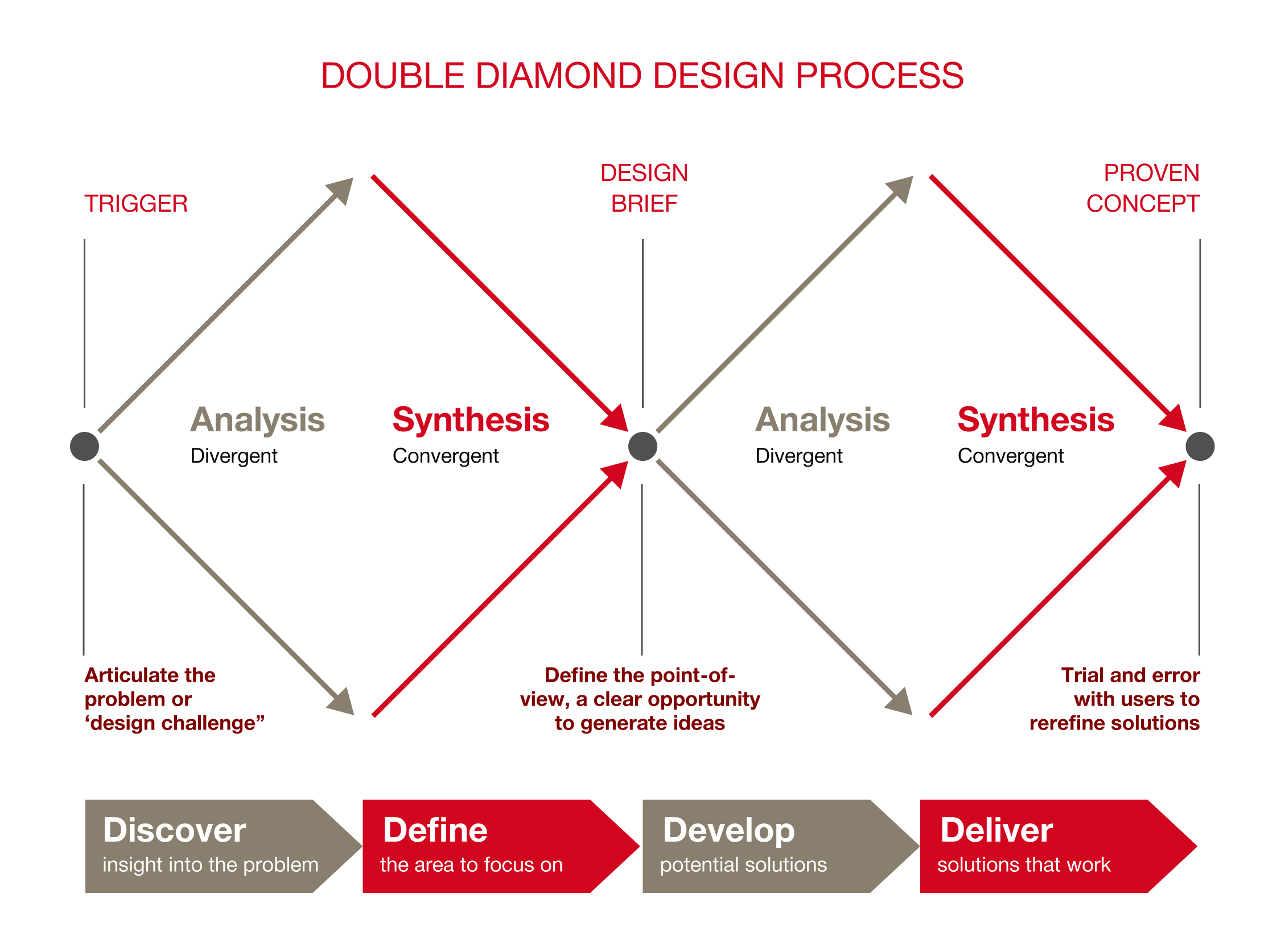
Following the Double Diamond design process, the overall approach began with a broad exploration phase—leveraging third-party user and market research to uncover insights and align with stakeholders on a clear product vision. This fed into a focused definition of UX priorities, which then guided the development and delivery of new modules using iterative design thinking methods.

Toolkit

Figma
Jira
Adobe Illustrator

Adobe Photoshop

User Interviews

Miro
Strategic evaluation of PROFIS

As part of a broader UX evaluation, I reviewed third-party user and market research alongside internal Net Promoter Score (NPS) feedback to assess the platform’s performance against evolving user expectations and competitive benchmarks. This cross-source analysis highlighted critical experience gaps—ranging from workflow friction to feature discoverability—and informed a set of prioritized UX initiatives focused on improving usability, satisfaction, and platform adoption. By making decisions in both behavioral data and market context, I worked closely with the business leadership team to ensured design investments addressed high-impact opportunities with clear strategic value.

The design process

I used the Double Diamond design thinking approach to lead the overhaul of PROFIS Engineering, ensuring we explored the right problems and delivered targeted solutions. In Discover, I synthesized third-party research, NPS feedback, and stakeholder insights to identify pain points and shifting expectations. During Define, I clarified UX challenges and introduced refined personas—most notably the Specifier and Site Foreman—to represent both design and field use. In Develop and Deliver, I prototyped, tested, and iterated on new modules to create a cohesive, user-centered experience aligned with product goals.

Personas

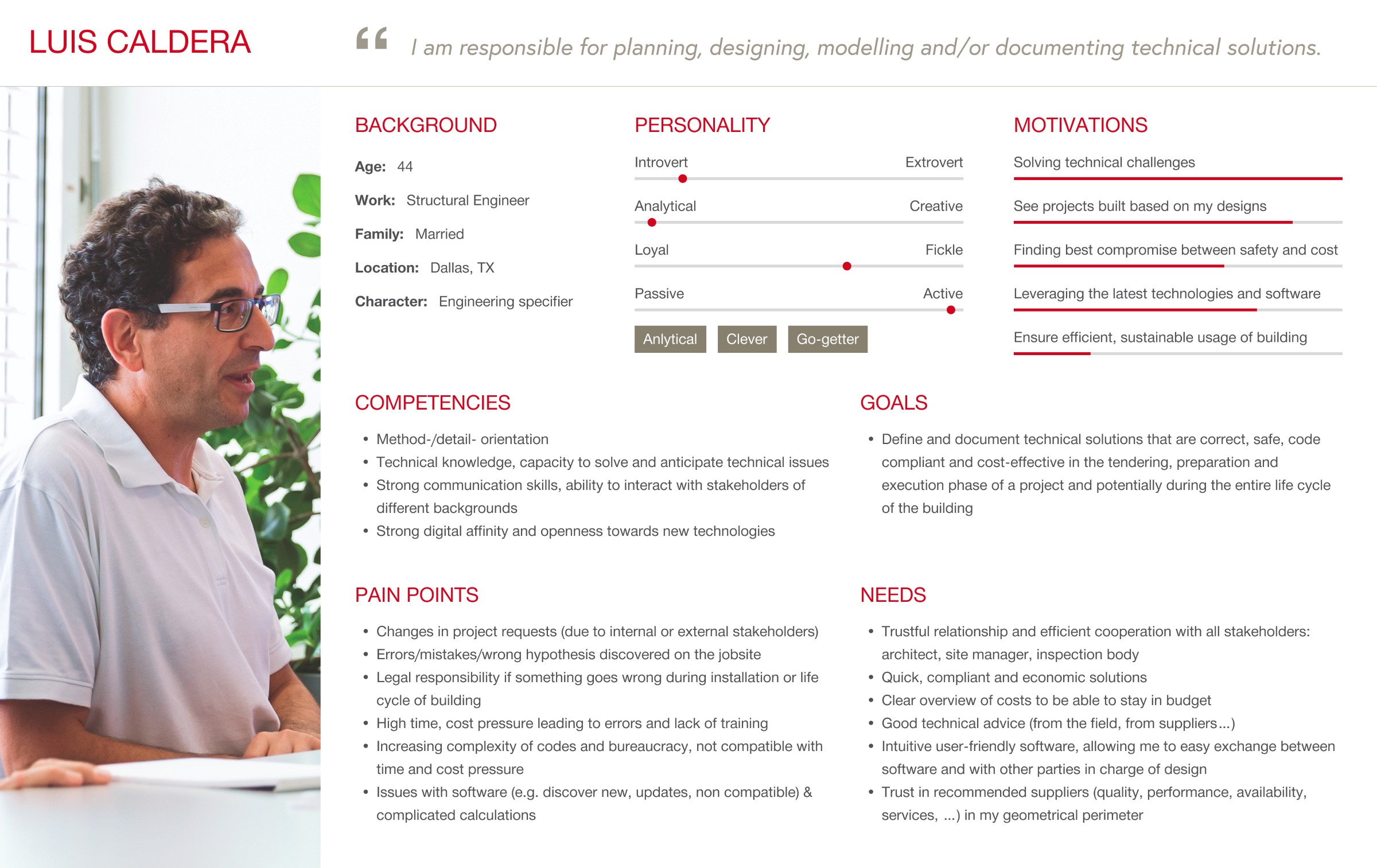
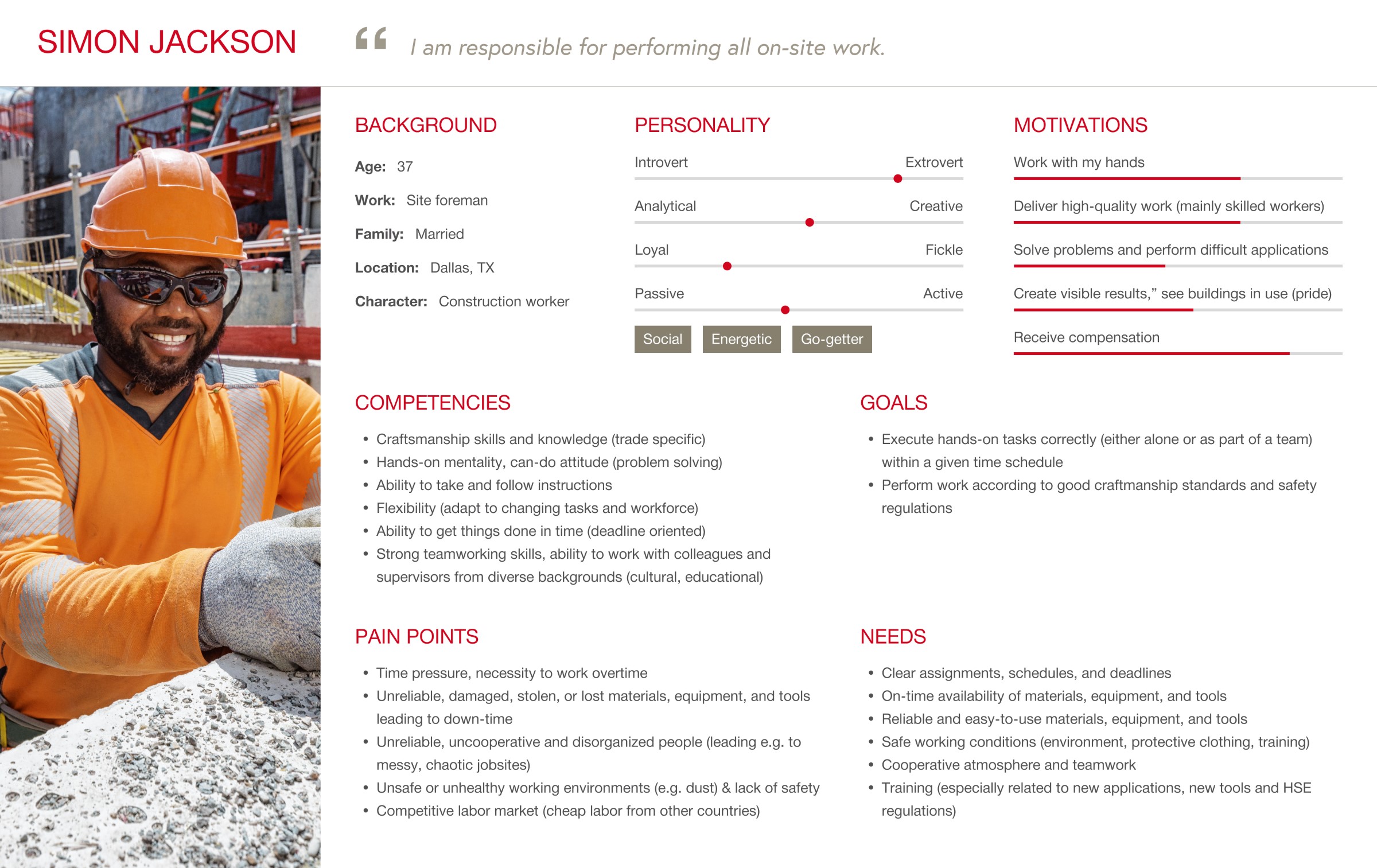
I developed new personas for PROFIS Engineering to better reflect the evolving complexity of the platform and its growing, diverse user base. The previous personas were too narrow—centered primarily on traditional engineers with static workflows. As the product introduced new modules and expanded its reach, it became clear that we needed a more nuanced understanding of real-world roles. The updated personas retain the foundational insights but go further by focusing on two key users: the Specifier, a structural engineer who designs structural connections and specifies Hilti anchors, and the Site Foreman, who interprets those specs and manages installation on-site. By redefining these roles with updated data and behavior patterns, the personas became more actionable—guiding design decisions that account for both technical complexity in the office and usability in the field.

NPS evaluation

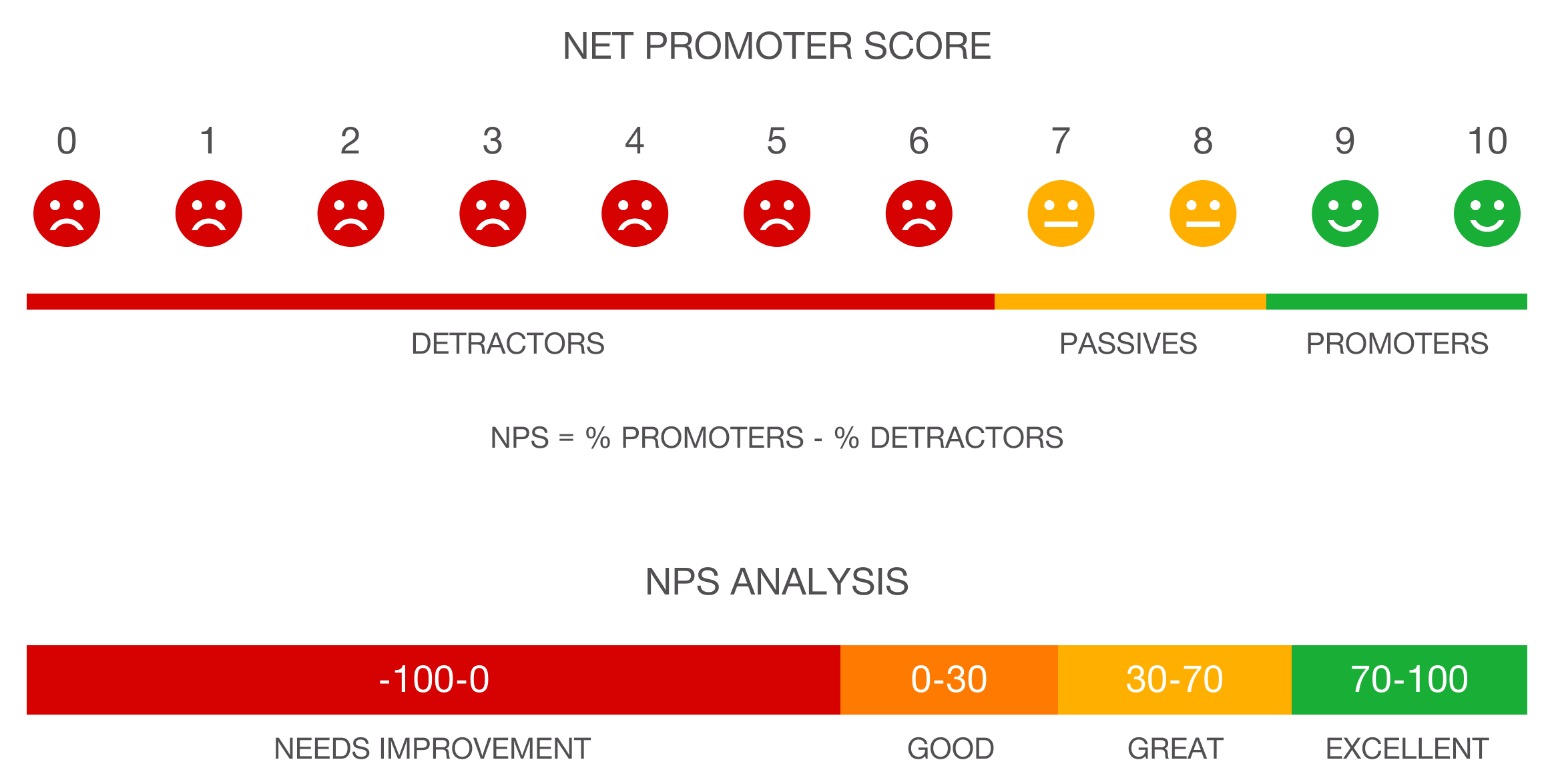
As part of the Discover phase of the Double Diamond process, I conducted a multi-year analysis of Net Promoter Score (NPS) data—not just the scores themselves, but the qualitative feedback users provided alongside them. This commentary revealed recurring usability issues, unmet needs, and moments of friction that weren’t always visible in metrics alone. I paired these insights with secondary research from the third-party vendor to validate patterns and benchmark against broader market expectations. Together, these inputs shaped a focused UX strategy that addressed both internal pain points and product opportunities.

User journey

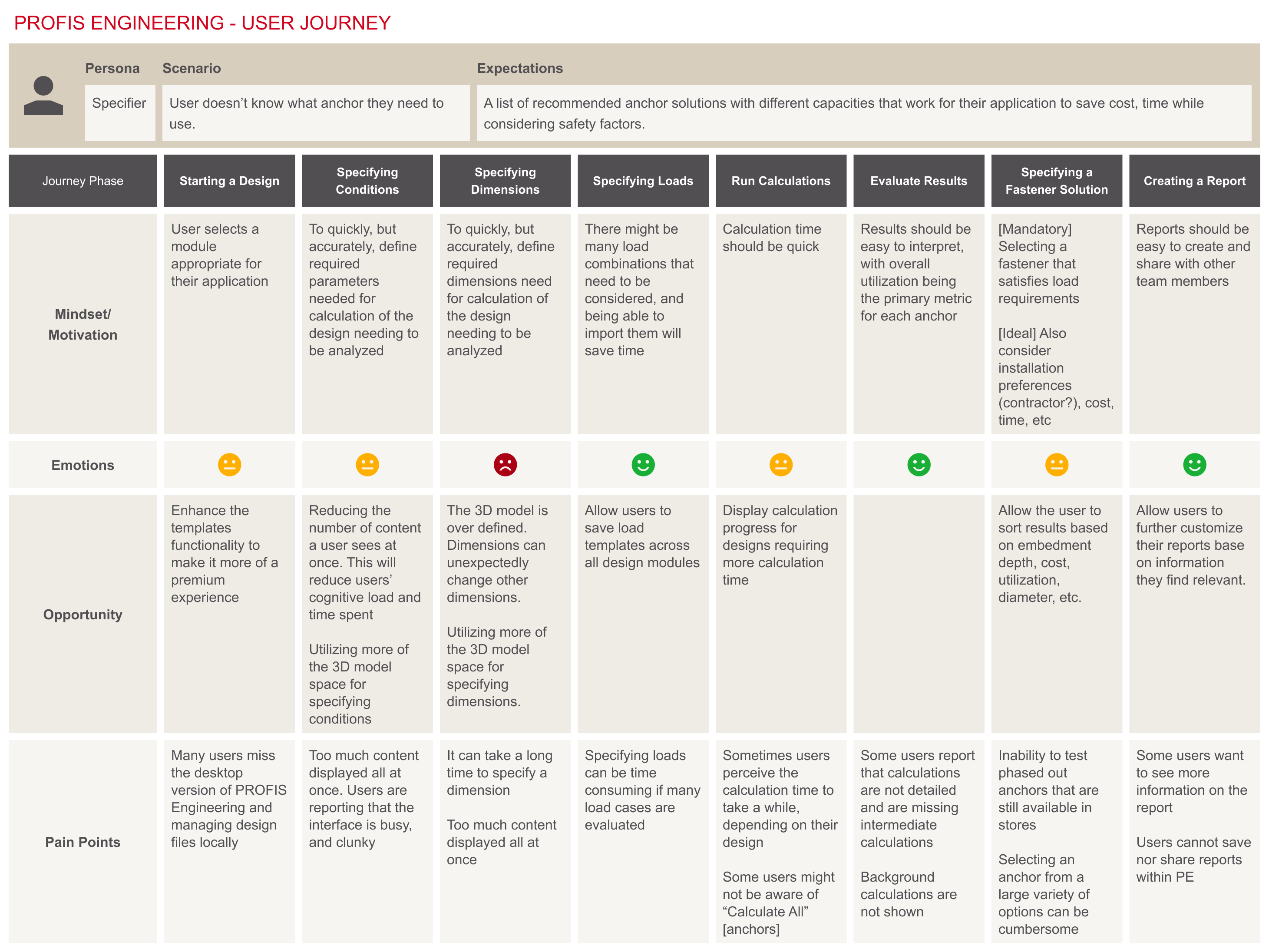
Equipped with a well-defined set of user pain points and a deeper understanding of strategic opportunities across the platform, I created a user journey that aligned cross-functional teams—from UX and product to senior leadership. This journey map served as a central artifact to communicate the end-to-end user experience, clarify moments of friction and value, and ensure all stakeholders shared a common vision as design and development progressed.

Feature prioritization

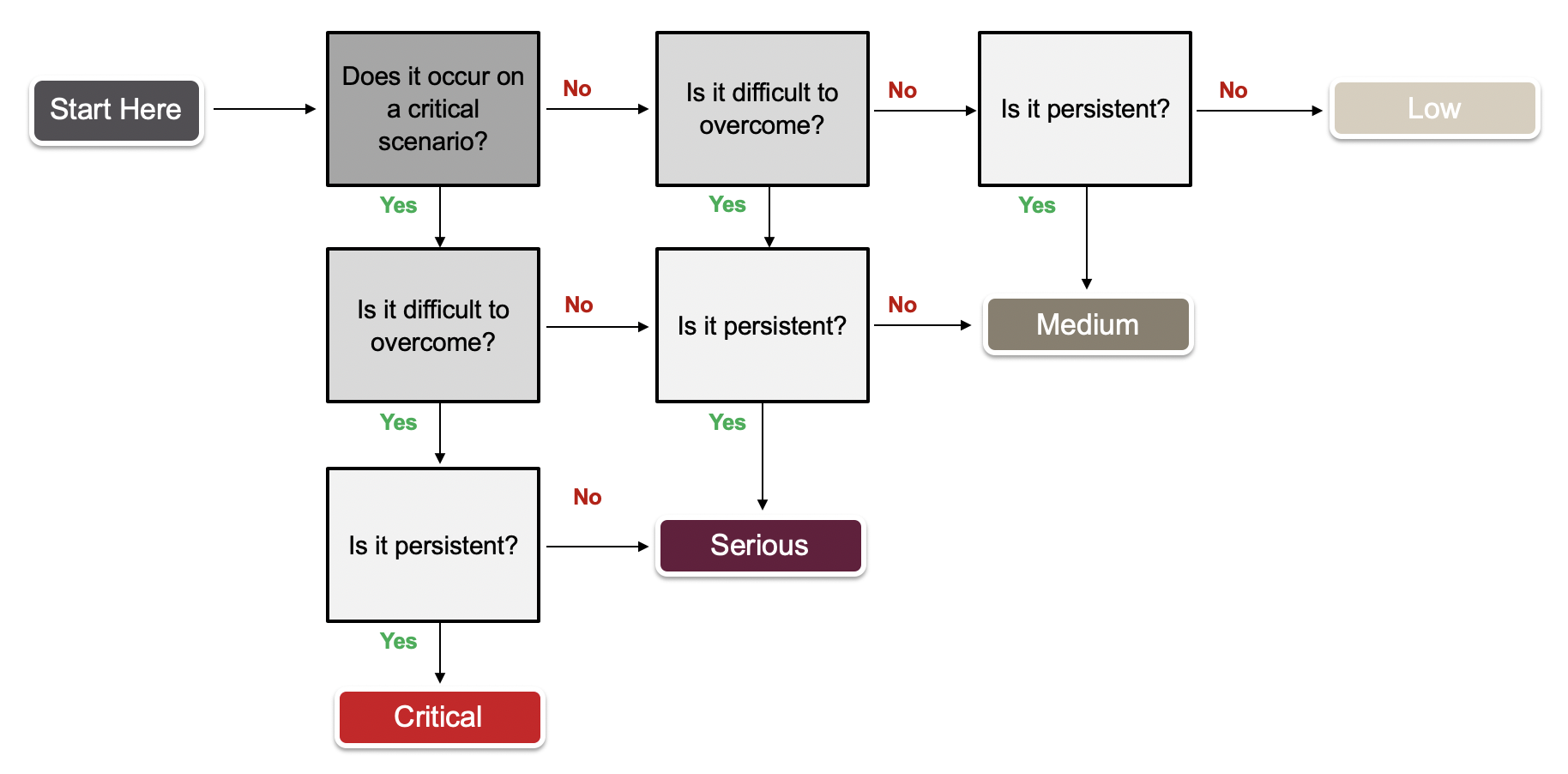
To prioritize usability improvements, I used a severity decision tree to evaluate issues based on impact. By assessing whether a problem occurred on critical paths, blocked progress, or appeared repeatedly, I could assign a severity rating. This helped the team focus on high-priority areas where improvements would deliver the greatest value to users.

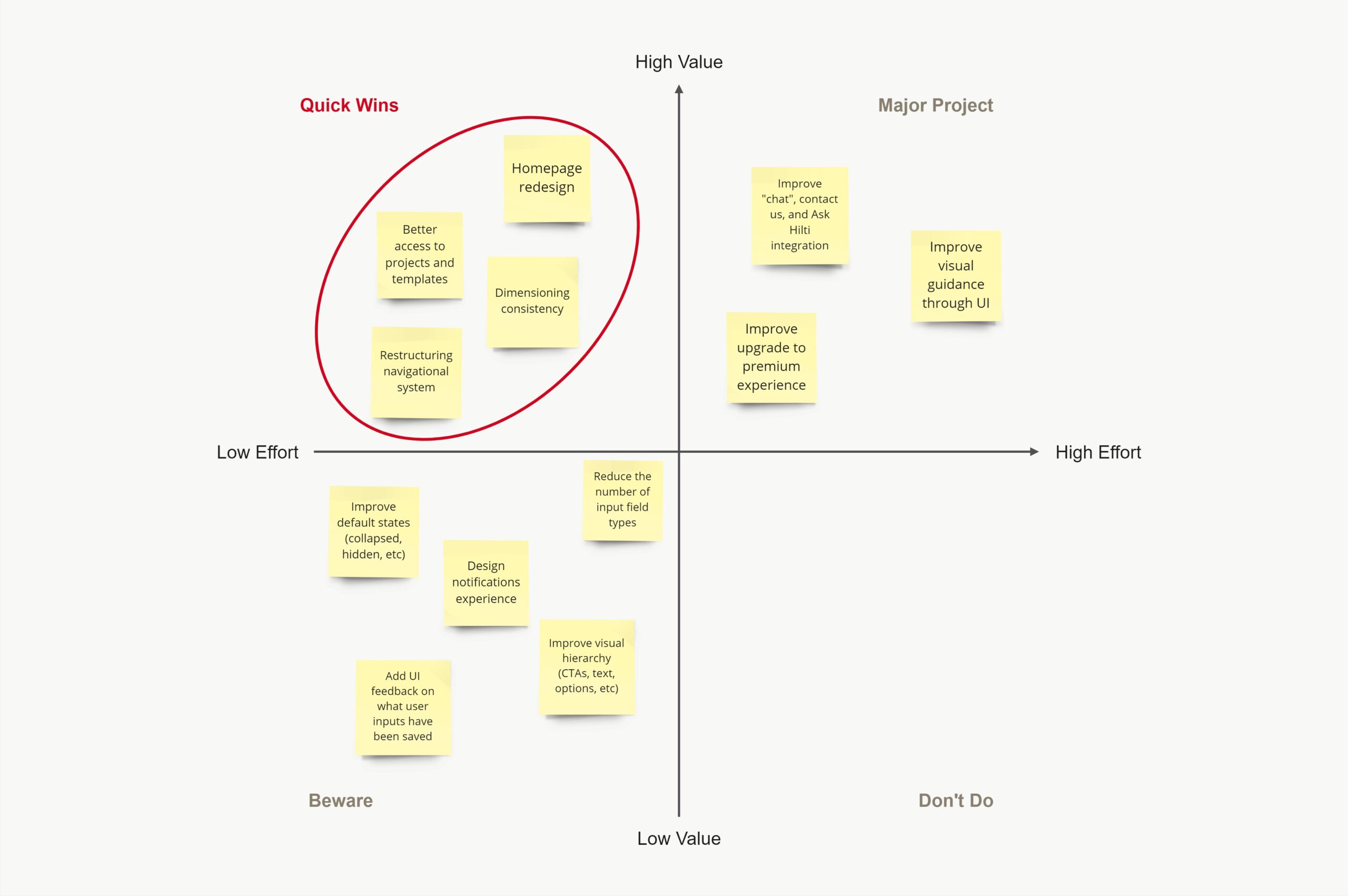
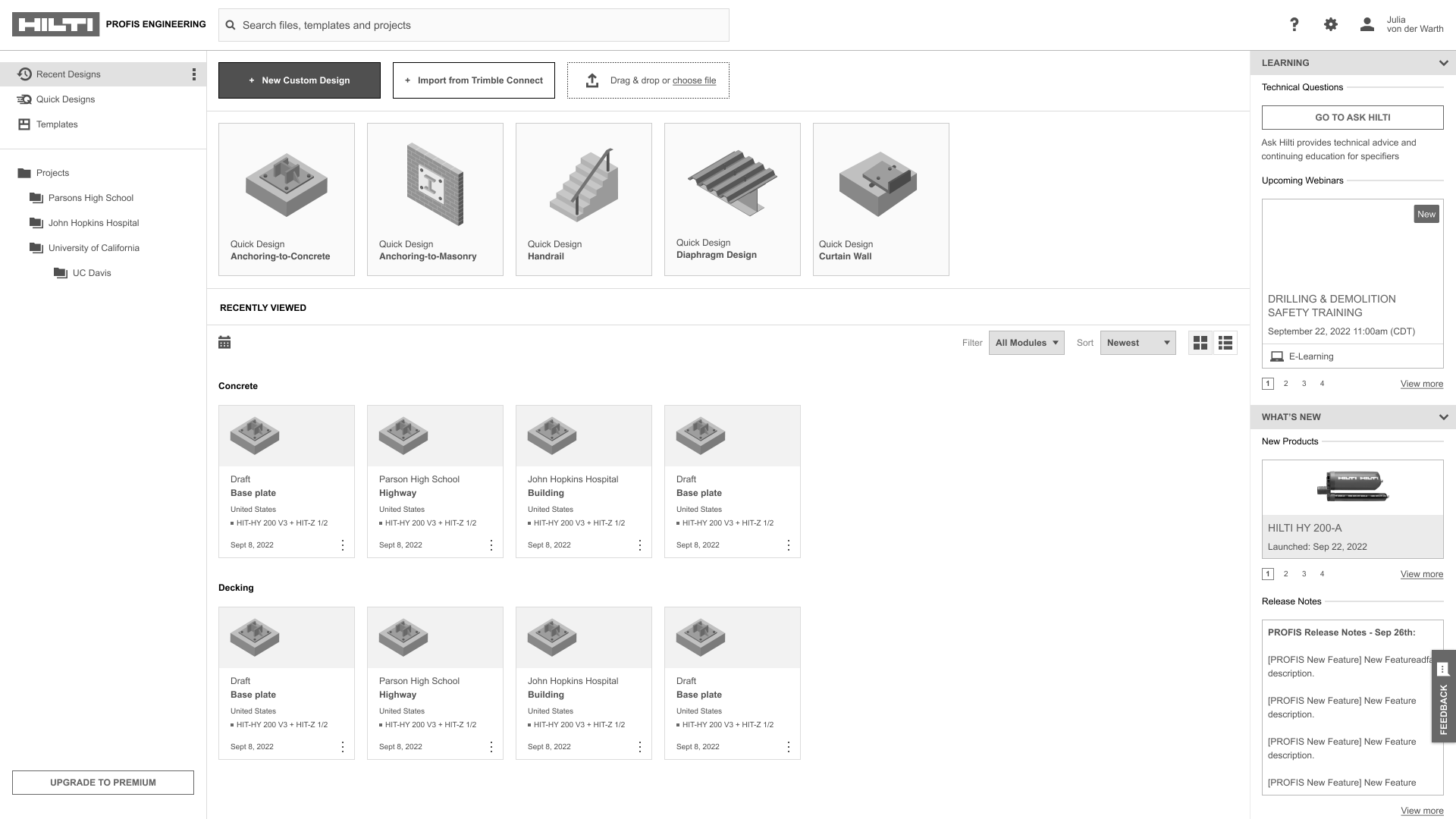
To help the leadership team make informed decisions around UX investments, I created a priority matrix that mapped potential platform enhancements by impact versus effort. This visual framework made it easy to identify “quick wins”—improvements that were relatively low-effort to design and implement but delivered high value to users. Since the homepage was where users navigate between modules, projects and templates, it only made sense to tackle the homepage as a whole.

Homepage redesign

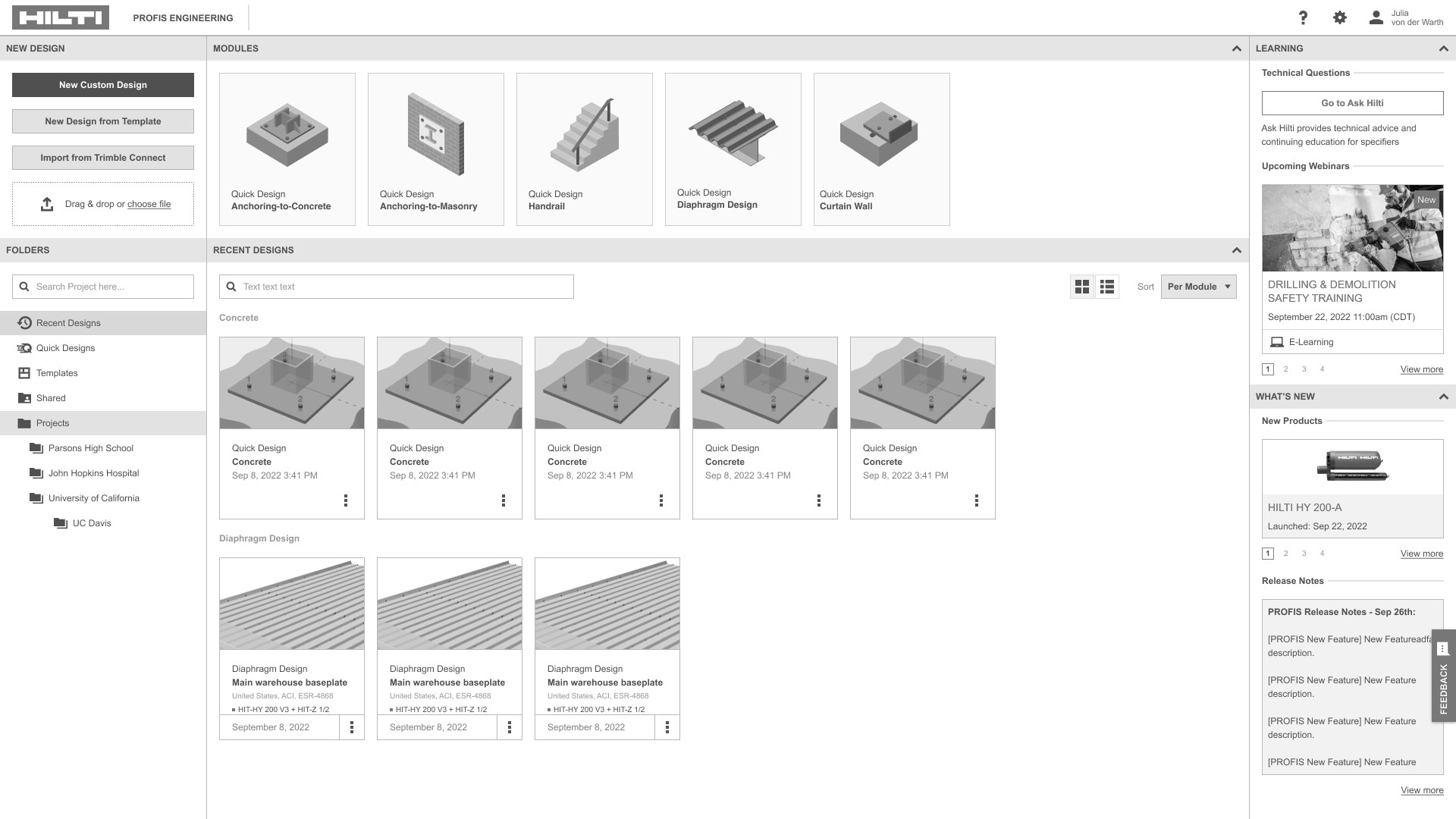
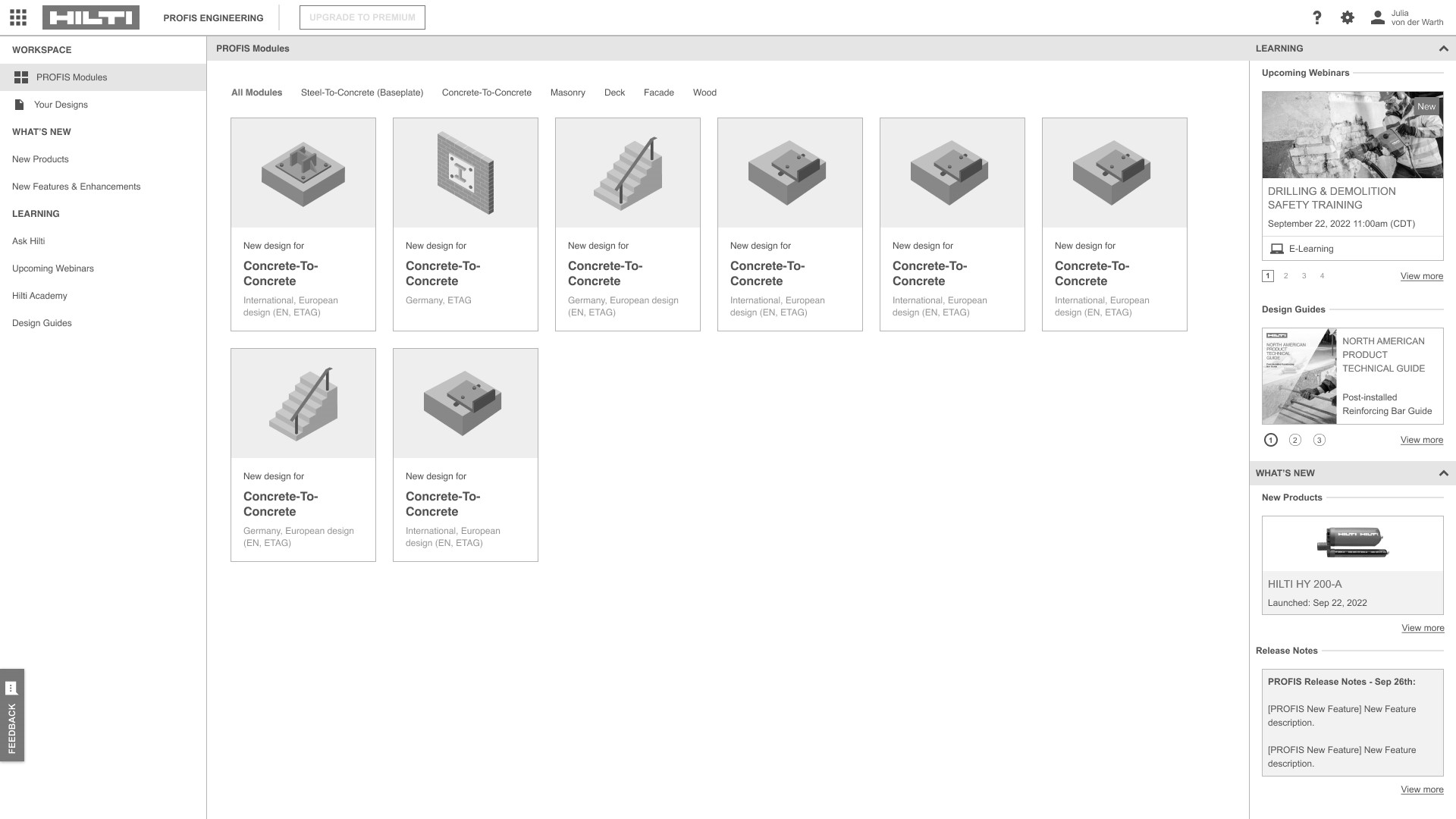
The PROFIS Engineering homepage functions as the central hub where engineers access key workflows—navigating between design modules (like anchoring to concrete or masonry), managing saved files, and applying reusable templates. It’s designed to streamline project setup and help users quickly jump into calculations or retrieve past work. However, the current layout at the time felt dense yet didn’t bring immediate access to critical features, especially for new users or those juggling multiple projects. A thoughtful revamp would significantly improve the experience by simplifying navigation, surfacing frequently used actions, and making templates and recent files more accessible.

User research

To build on the strong foundation provided by the third-party research, I wanted to dive deeper into how users actually interacted with the PROFIS Engineering homepage on a day-to-day basis. While the secondary research surfaced valuable insights and high-level takeaways, I was especially interested in the how, when, and why behind feature usage—details that often get lost in aggregate data. I aimed to get into the nitty gritty by speaking directly with users, observing their workflows, and understanding which homepage elements they relied on most, which they overlooked, and where friction emerged.

  1. How often are you using templates in PROFIS Engineering?
  2. How do you start most designs?
  3. How often are you copying designs, and for what reason?
  4. How often are you creating a custom design, and why?
  5. How often are you moving files from the draft folder to a specific project folder?
  6. Is there a point where templates have more added value than just copying one designing to another?
  7. Are you ever using Trimble Connect to import any type of design?
  8. Do you ever use the “Import” function?
  9. How do you differentiate between projects and company projects?
  10. Are you ever copying projects or folders?
  11. How many projects do you work on at a time?
  12. How often are you switching between designs?
  13. Do you see any added value with a distinct shared folder, to group all shared content?
  14. Do you see any added value with folder cards in the center of the screen?

This hands-on approach allowed me to uncover subtle user patterns and unmet needs that would inform a more intuitive and impactful homepage redesign.

Synthesizing user research findings

After collecting both qualitative and quantitative data—from NPS feedback, stakeholder interviews, and third-party research—I synthesized the findings to identify recurring themes, unmet needs, and friction points across the user journey. This synthesis wasn’t just about surfacing problems; it was about translating insights into actionable design opportunities. I mapped these opportunities against user goals and business objectives, which laid the groundwork for expansive ideation. From there, I explored a range of solution concepts—from quick interface enhancements to deeper workflow redesigns.

Comparative user testing

To evaluate different design directions for the PROFIS Engineering homepage, I conducted comparative user testing using clickable prototypes. These prototypes represented a range of concepts—from minimal interface tweaks to more comprehensive layout overhauls. By observing users as they navigated each version, I was able to assess not only task success and efficiency, but also their reactions to the overall experience. Through this process, a clear pattern emerged: users were enthusiastic about enhancements that improved clarity and usability, but they expressed hesitation toward changes that felt too drastic or unfamiliar. The feedback revealed a strong preference for evolutionary improvements—those that refined and modernized the experience without disrupting established workflows.

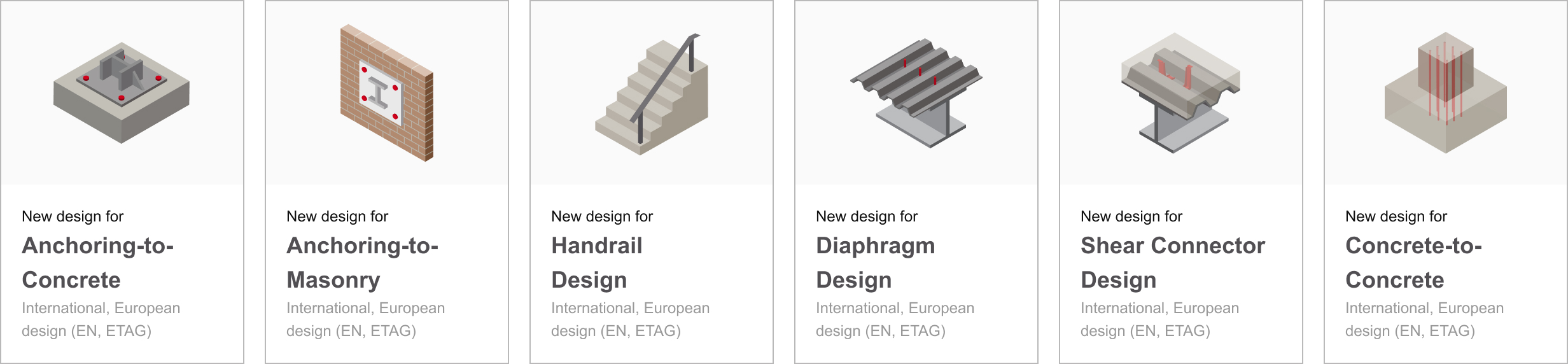
Redesigned module cards

Building on the feedback gathered through research and user testing, I took a phased approach to enhancing the PROFIS Engineering homepage—refining it one section at a time. I focused on simplifying navigation, improving content hierarchy, and making high-traffic features more accessible. A key improvement was the redesign of the module cards, which I streamlined to reduce visual clutter and free up more screen real estate. This gave users a clearer view of their recent files and templates, making it easier to jump into active projects without unnecessary clicks and scrolling.

Old card designs:

New card designs:

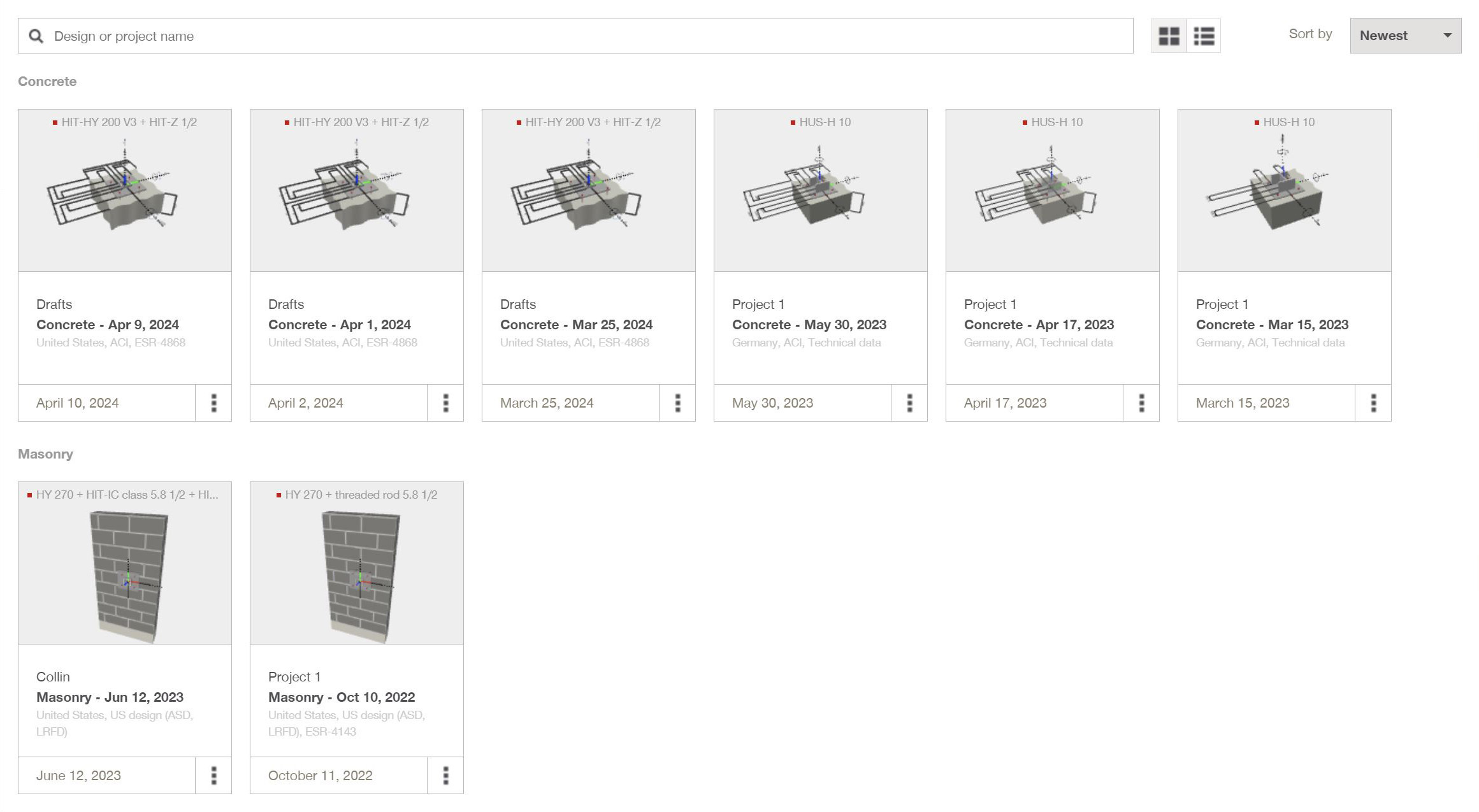
Redesigned grid view

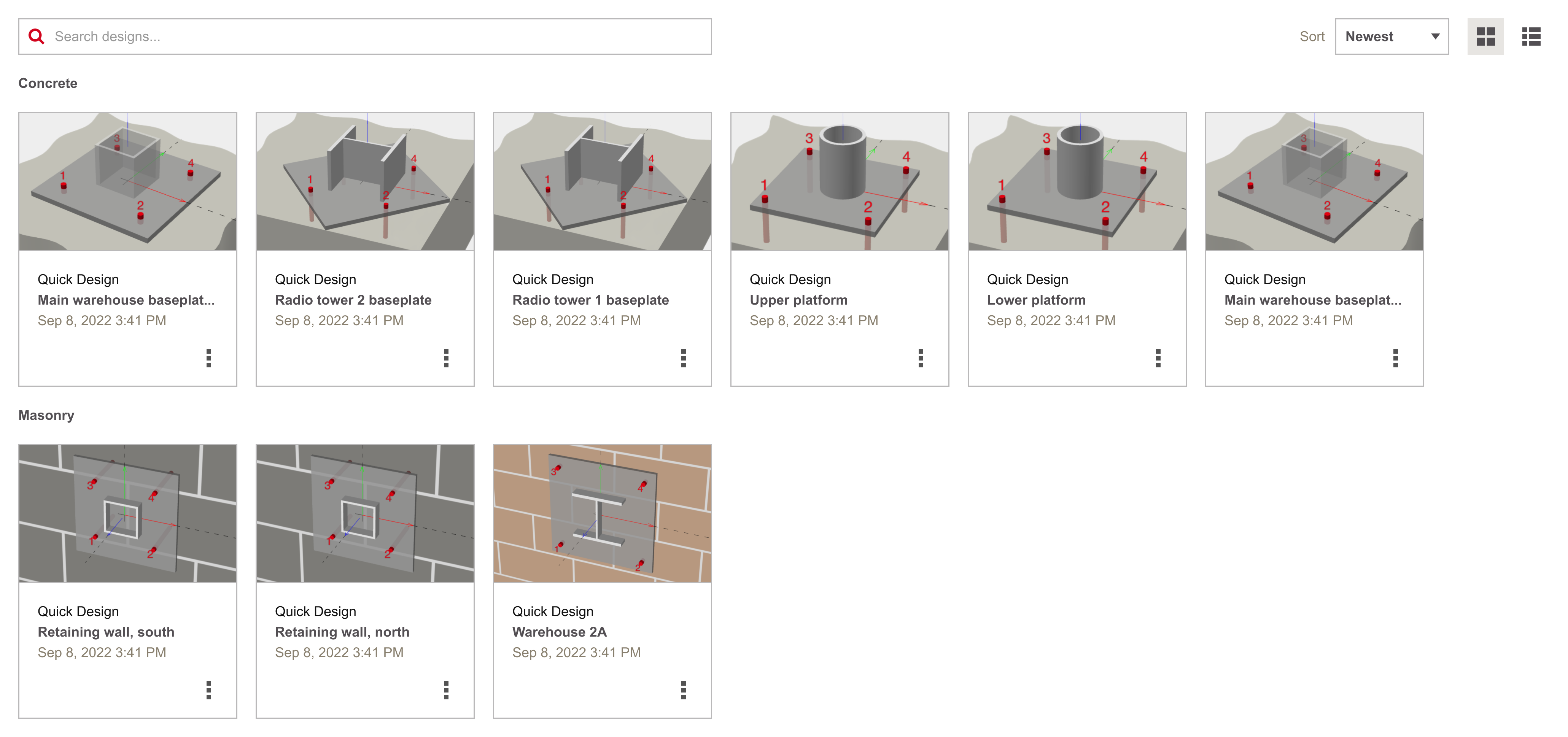
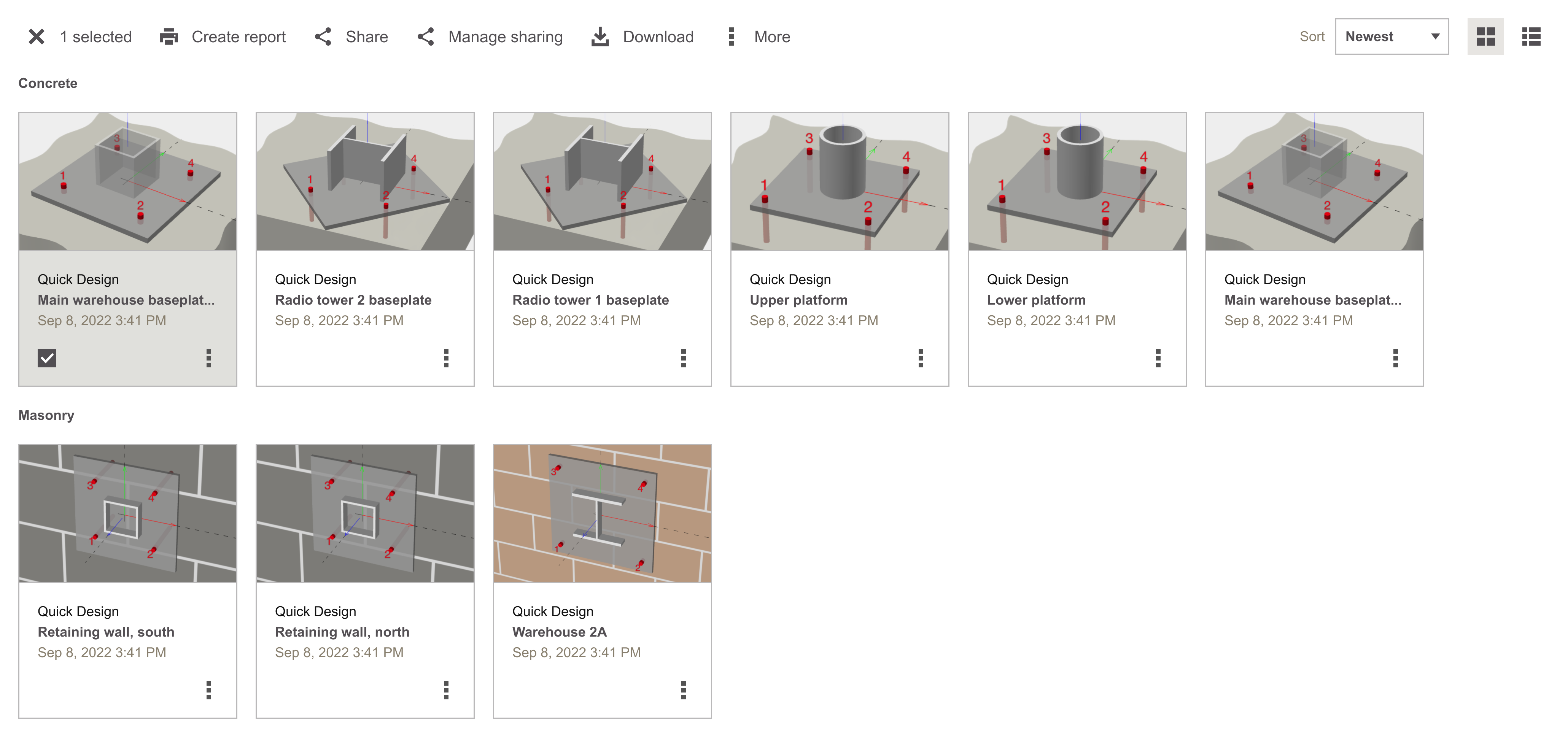
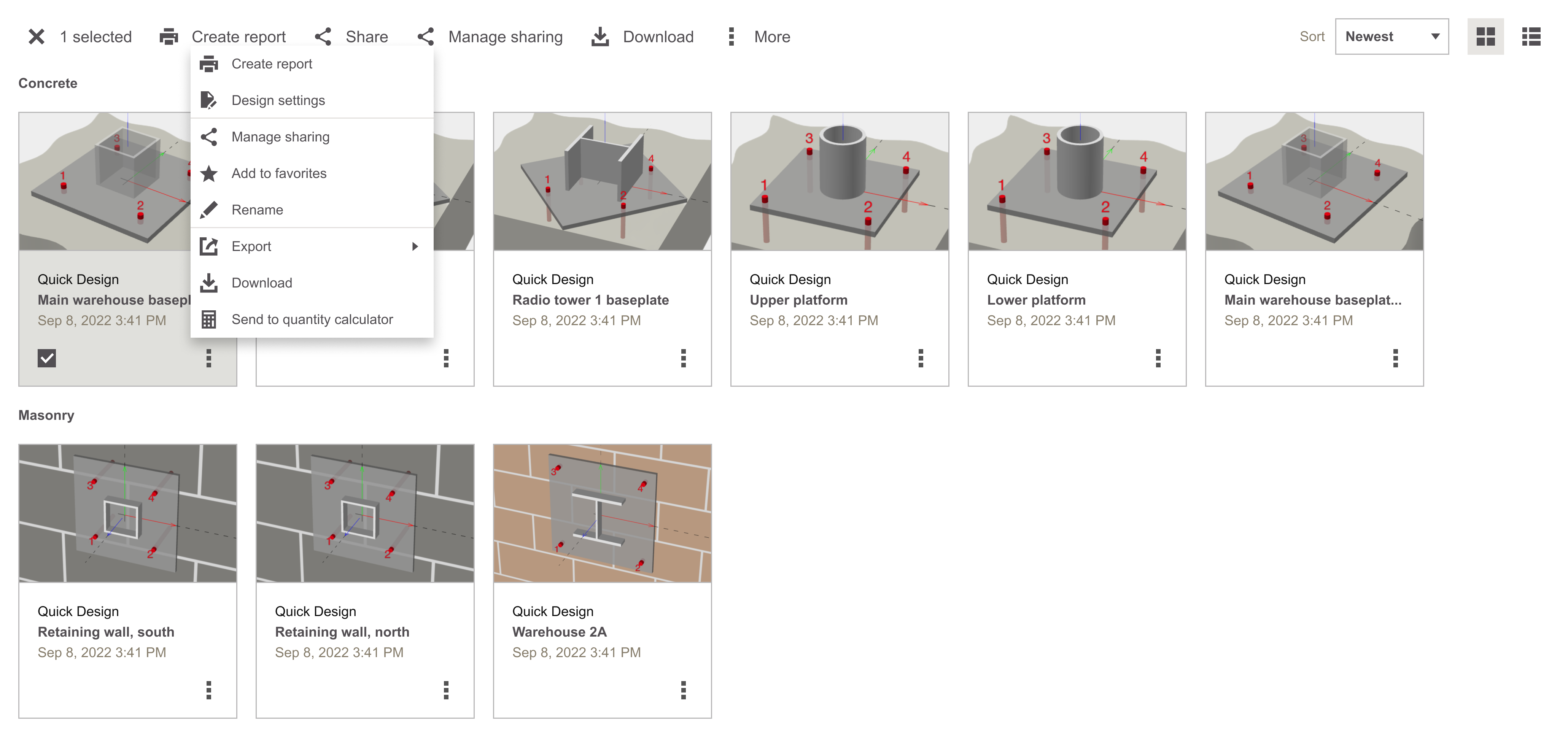
I improved the grid view of design files by using smaller cards with clearer thumbnails and timestamps, making it easier to scan and identify designs quickly. I added bulk select so users can manage multiple files at once, and expanded single-select actions so basic tasks like renaming or moving files don’t require opening the design. These updates made file management faster and more intuitive.

Old grid view:

New grid view:

Redesigned meta navigation

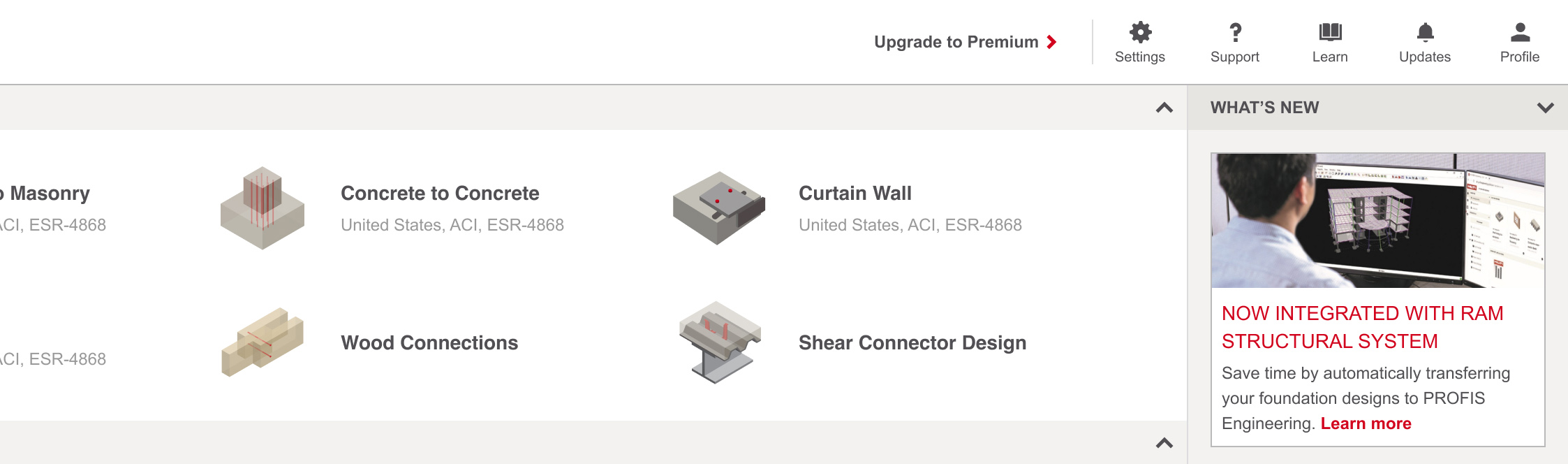
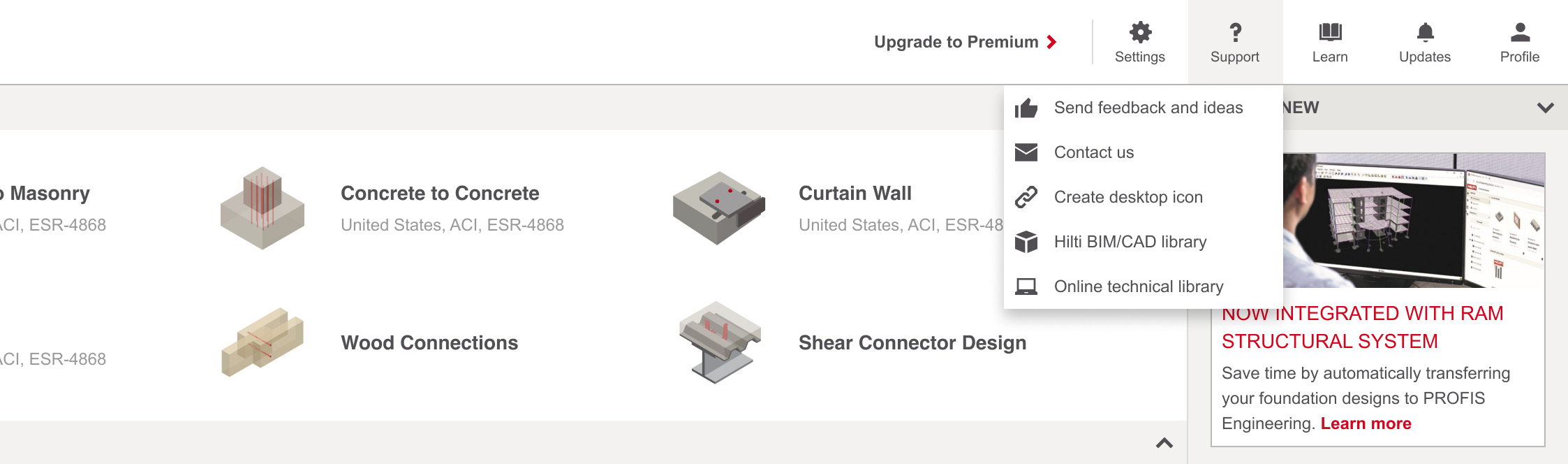
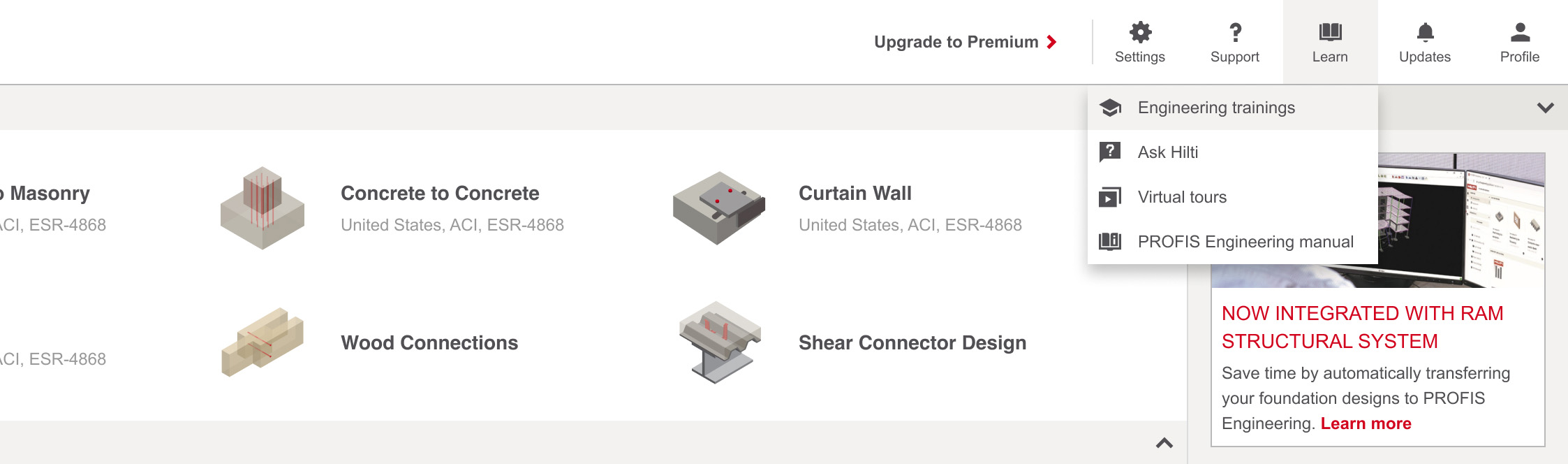
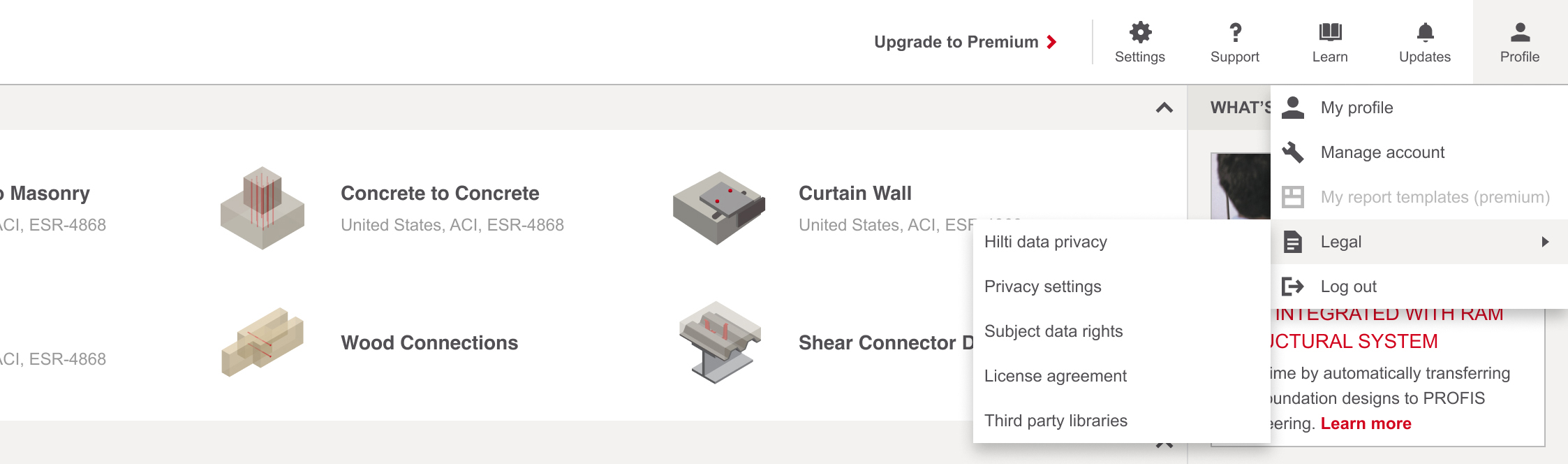
During usability testing and follow-up research, it was clear the original meta navigation wasn’t pulling its weight—users consistently missed it when looking for support or learning resources. I redesigned it to be more visible and intuitive, making space for help content to show up where users actually need it. The update made guidance easier to find and gave the navigation a more purposeful role in the overall experience

Old grid view:

New grid view:

Redesigned file navigation

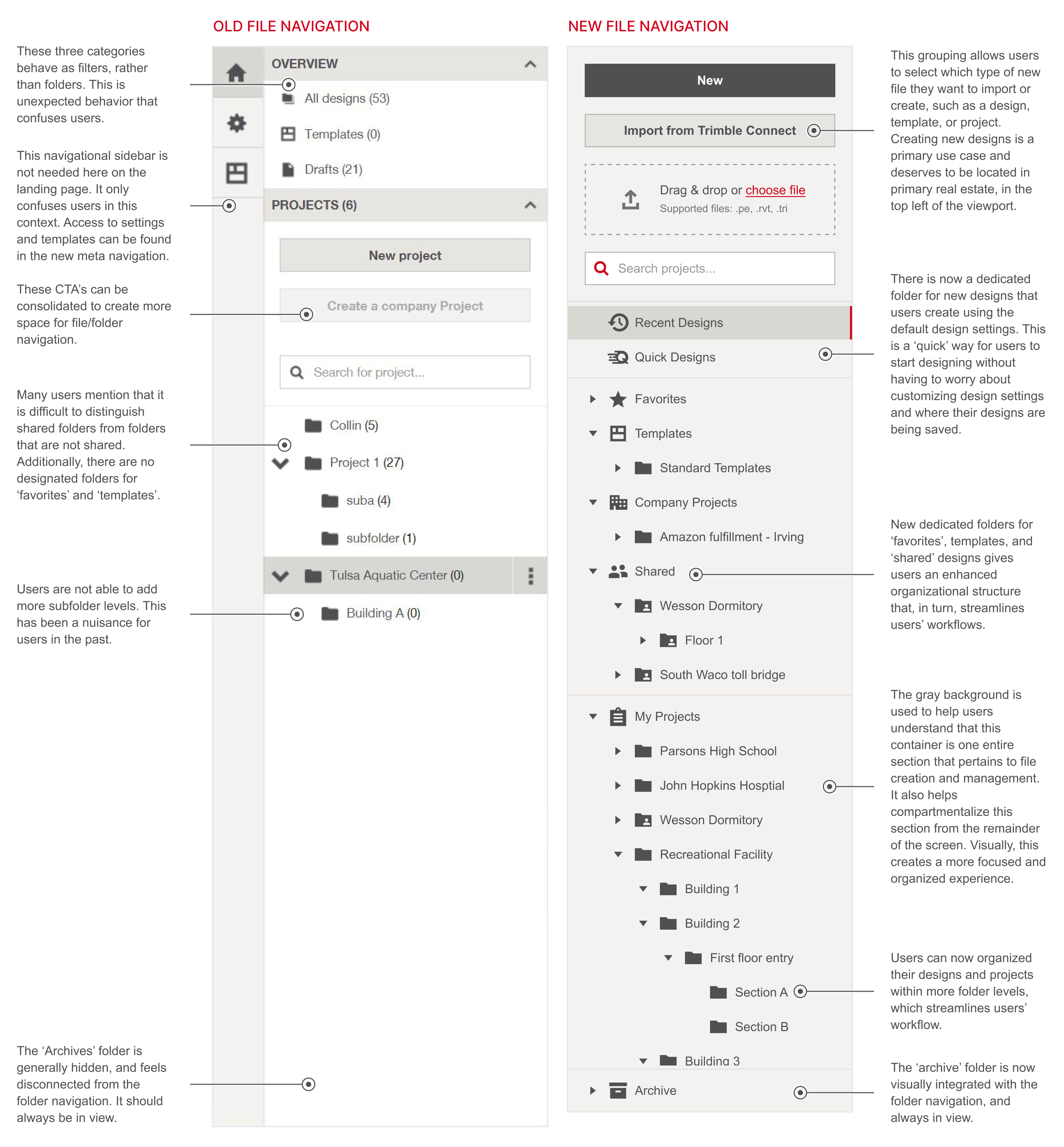
User feedback revealed friction in how people navigated design files on the homepage—many found it hard to locate frequently used or high-priority content. In response, I enhanced the file navigation by adding structured folders like Favorites, Quick Designs, and Templates. These categories reflected common usage patterns and gave users a clearer, faster path to their work.

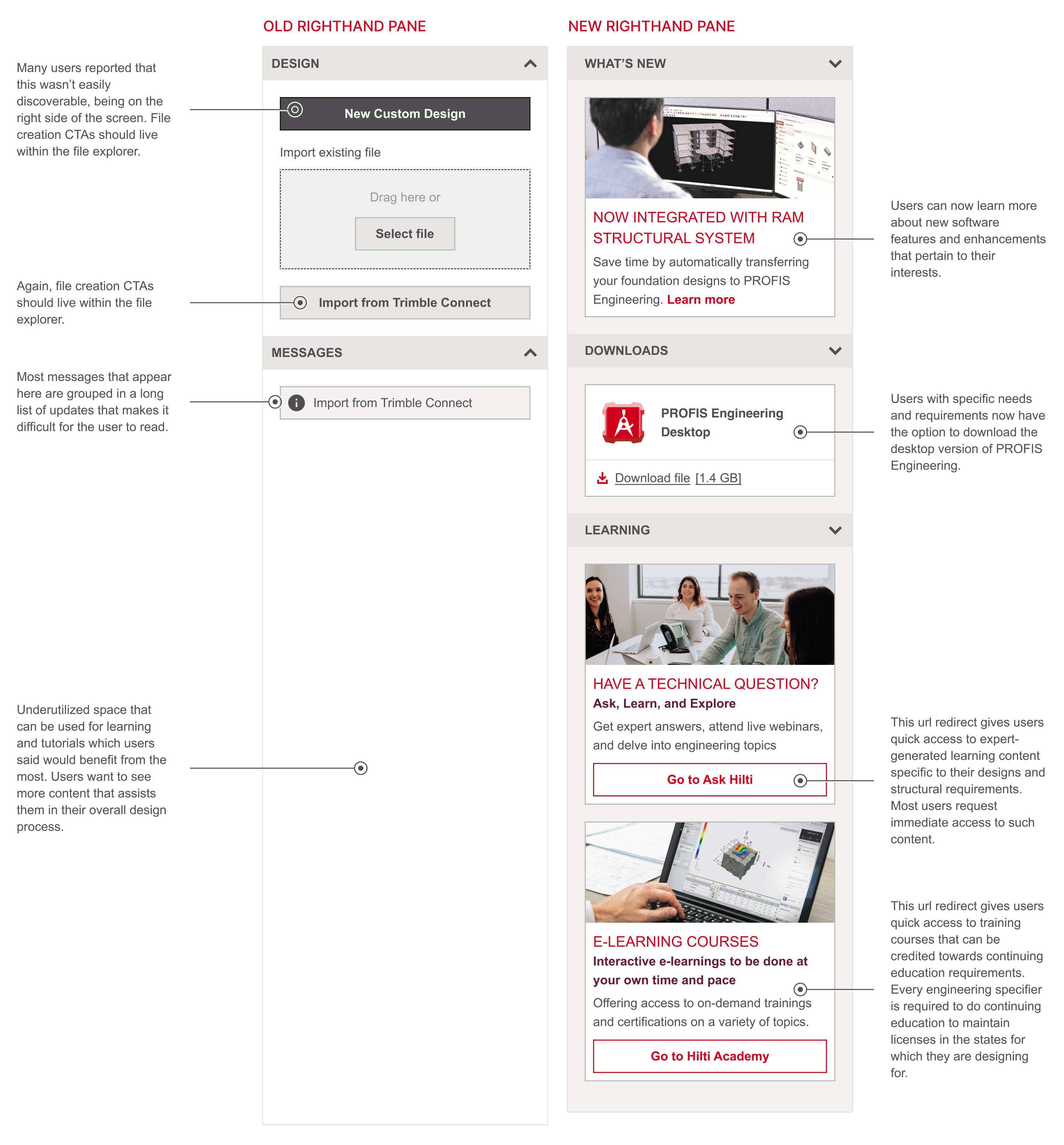
Redesigned righthand pane

The original righthand pane on the homepage felt like wasted space—it didn’t offer much value and often went unnoticed during testing. To unlock its potential, I partnered with business and marketing teams to rethink how that area could serve user needs more directly. The revamped panel now delivers immediate access to learning content, training materials, and support resources—positioning help right where it’s needed. I also incorporated a direct download option for the desktop version of PROFIS Engineering, addressing a repeated request from users who had specific workflow or platform requirements. The update transformed a static element into a functional, user-driven touchpoint.

Tying it all together - All new, all familiar

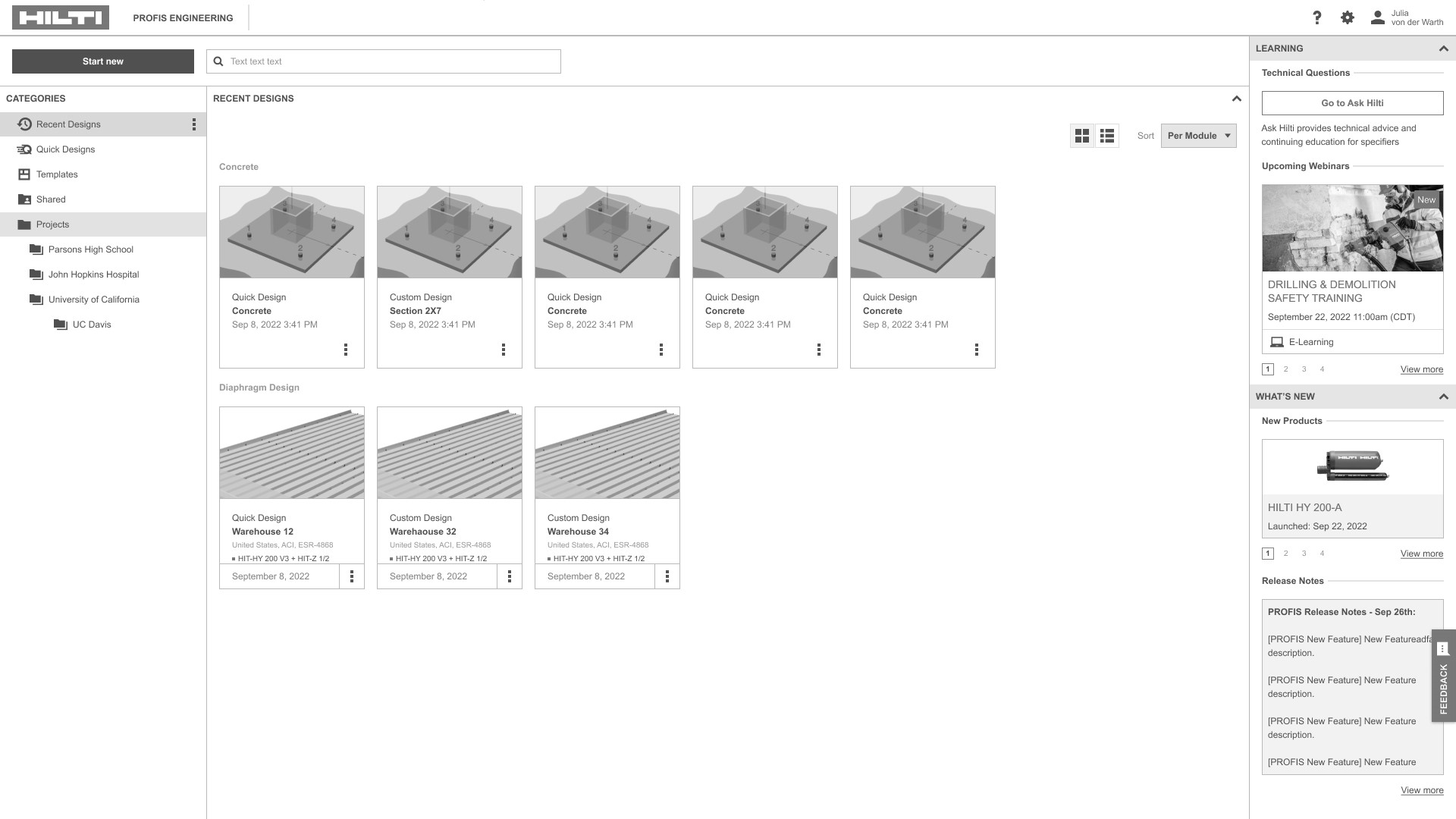
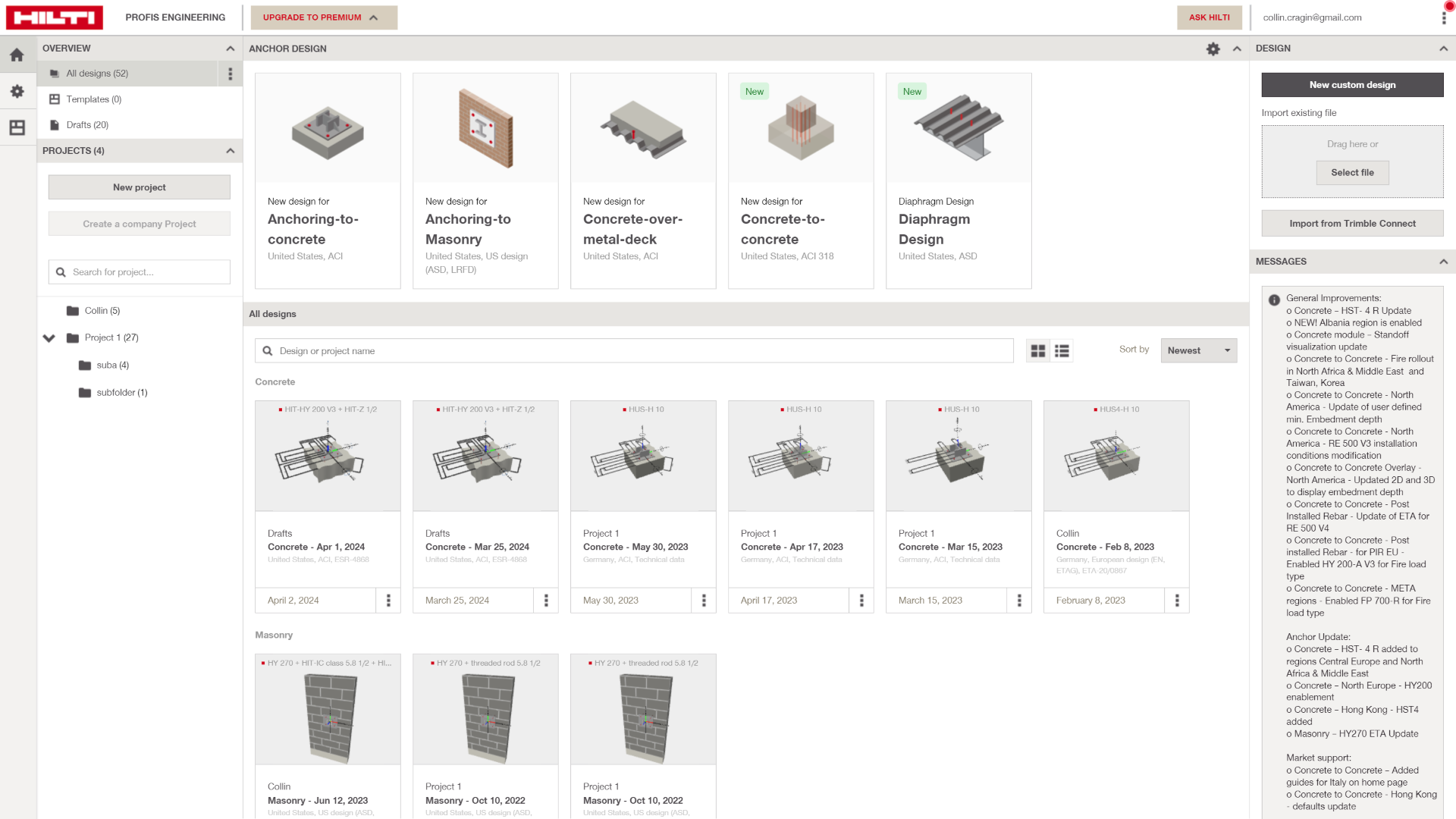
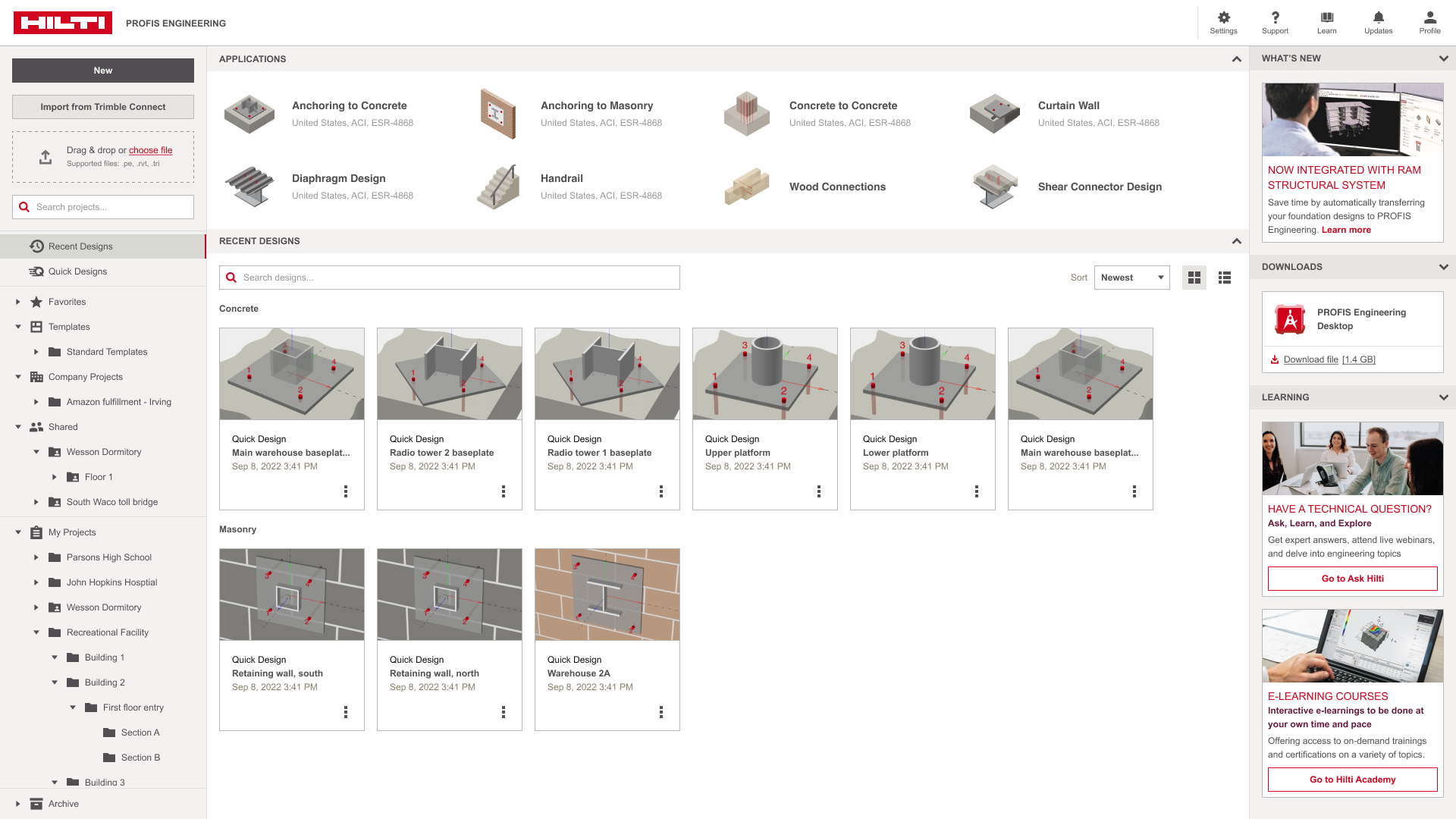
The new homepage delivers a cleaner, more intentional experience. Users can now quickly find key design files through structured folders, scan with ease using enhanced grid views, and access support content without digging. The revitalized right pane and updated meta navigation surface help and training where it’s most useful, while the layout stays flexible for future modules. Altogether, it feels more modern and functional, without losing the familiarity users rely on.

Before
After
Concluding remarks

The homepage redesign was more than a surface update—it signaled a new direction for PROFIS Engineering. Through the process, we learned how much structural engineers value speed, reliability, and clarity in their workflows. The updated experience reflected that: faster access to designs, better organization, and embedded learning and support content all worked together to reduce friction and build trust. If I tackled a similar project again, I’d break it into smaller sprints to gather more focused feedback early on. It would also help bring product decisions with more focus and granularity.

Diaphragm design module

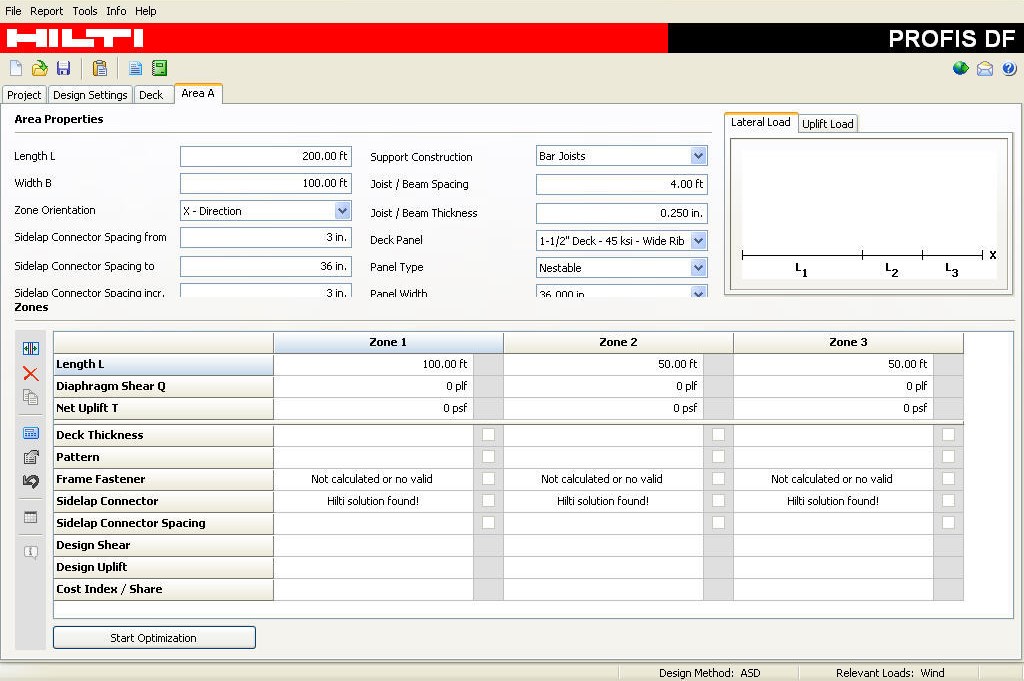
At the time, PROFIS DF—a standalone decking fastener software—was being phased out as the business looked to reimagine it as an integrated module within PROFIS Engineering. The goal wasn’t just consolidation, but a strategic shift toward a more unified, efficient workflow for structural engineers. PROFIS DF allowed users to perform code-compliant decking design, helping them select fasteners, analyze loads, and generate reports with confidence. But operating in a silo created workflow gaps. By bringing its capabilities into PROFIS Engineering, the experience becomes more seamless—allowing users to move between anchor design, decking, and other modules without leaving the platform.

A needed overhaul

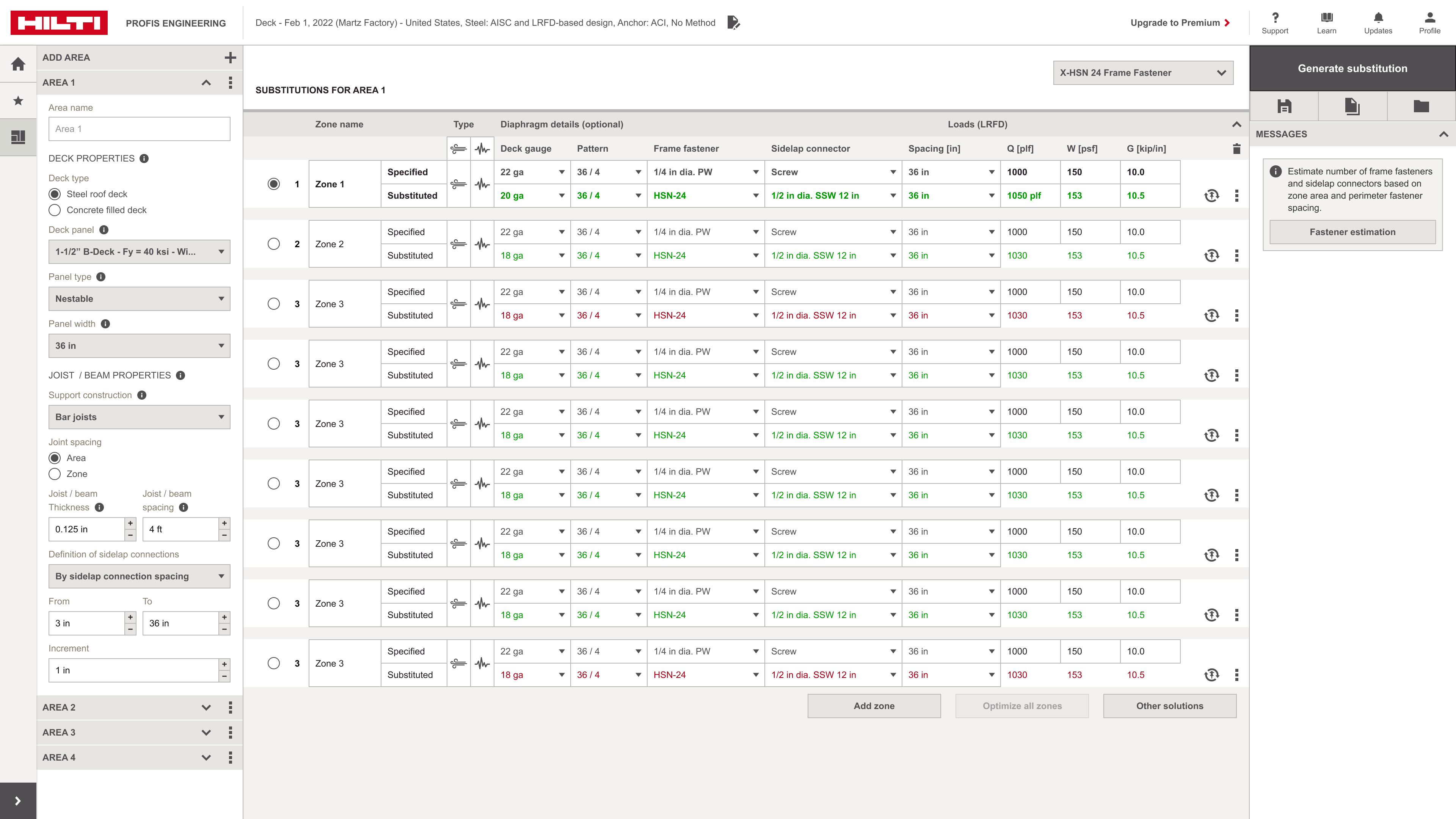
Hilti DF (Diaphragm Fastening) was a legacy design tool focused on shear transfer through decking. Compared to other anchor modules in PROFIS Engineering, its UI was dated, lacked 3D feedback, and wasn’t scalable for evolving workflows. The redesign was needed to modernized DF by integrating it into PROFIS Engineering with interactive visuals, reusable zone templates, and streamlined inputs—bringing it in line with the rest of Hilti’s sophisticated ecosystem.

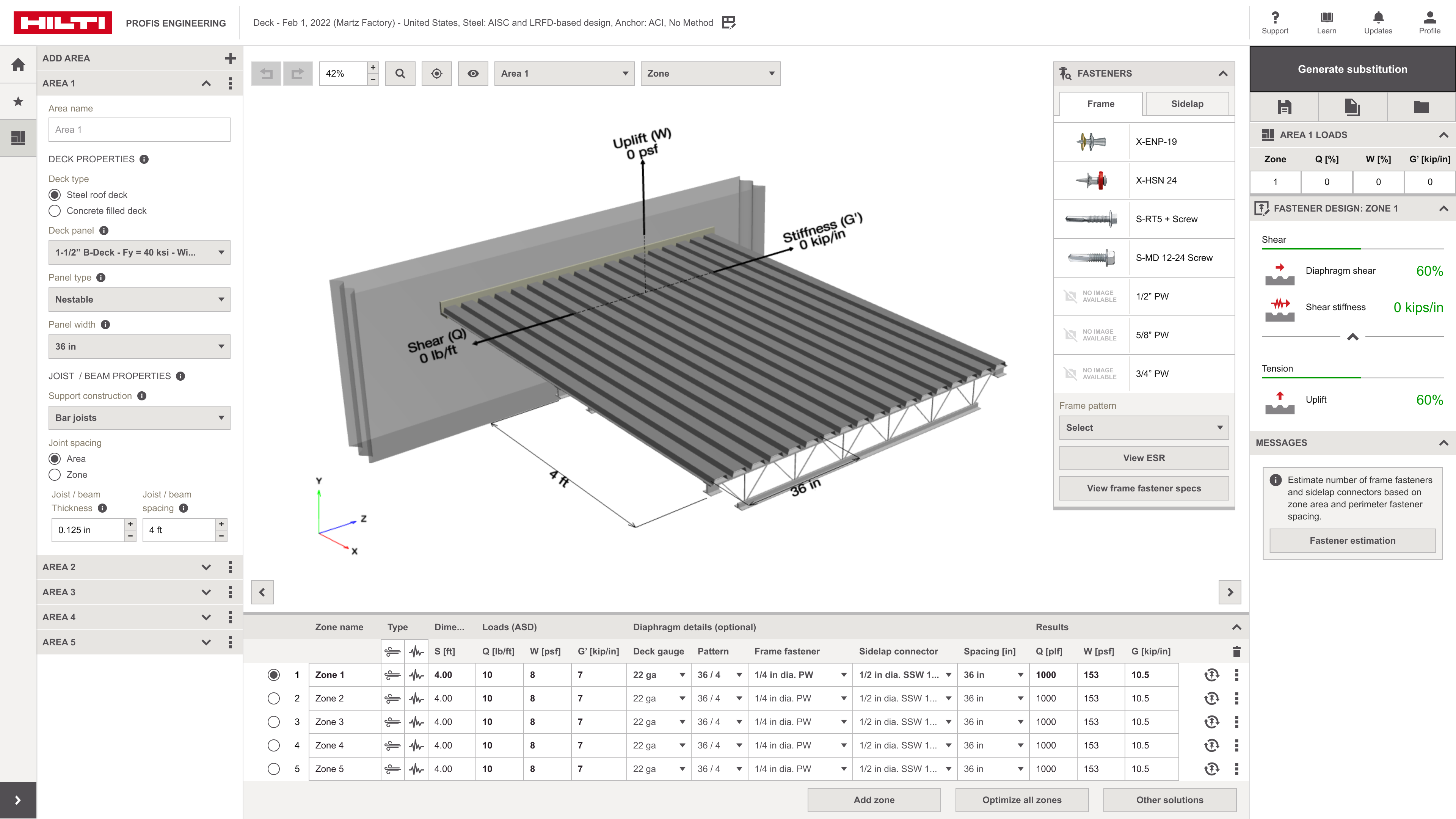
Every feature of PROFIS DF was carefully evaluated as I transitioned it into the context of PROFIS Engineering. I worked through each capability—from load analysis to fastener configuration—to ensure the functionality was preserved, but reimagined to fit the platform’s UX patterns and design system. My focus was on usability, consistency, and honoring typical decking workflows, so structural engineers could jump in without needing to relearn the tool. One of the biggest challenges was visualizing complex loading scenarios and fastener designs within the boundaries of the Hilti design system. The system wasn’t built to showcase that kind of visual depth out of the box, so I collaborated closely with engineering and design to find scalable ways to introduce new visual elements—especially in the 3D modelspace—without breaking consistency.

A key feature of the diaphragm design module is the optimization feature that allows a user to “optimize” a fastener design selection and layout based on efficiency and cost. Through a single click, a zone can be optimized such that software calculates the least amount of fasteners an engineer can use under various design conditions.

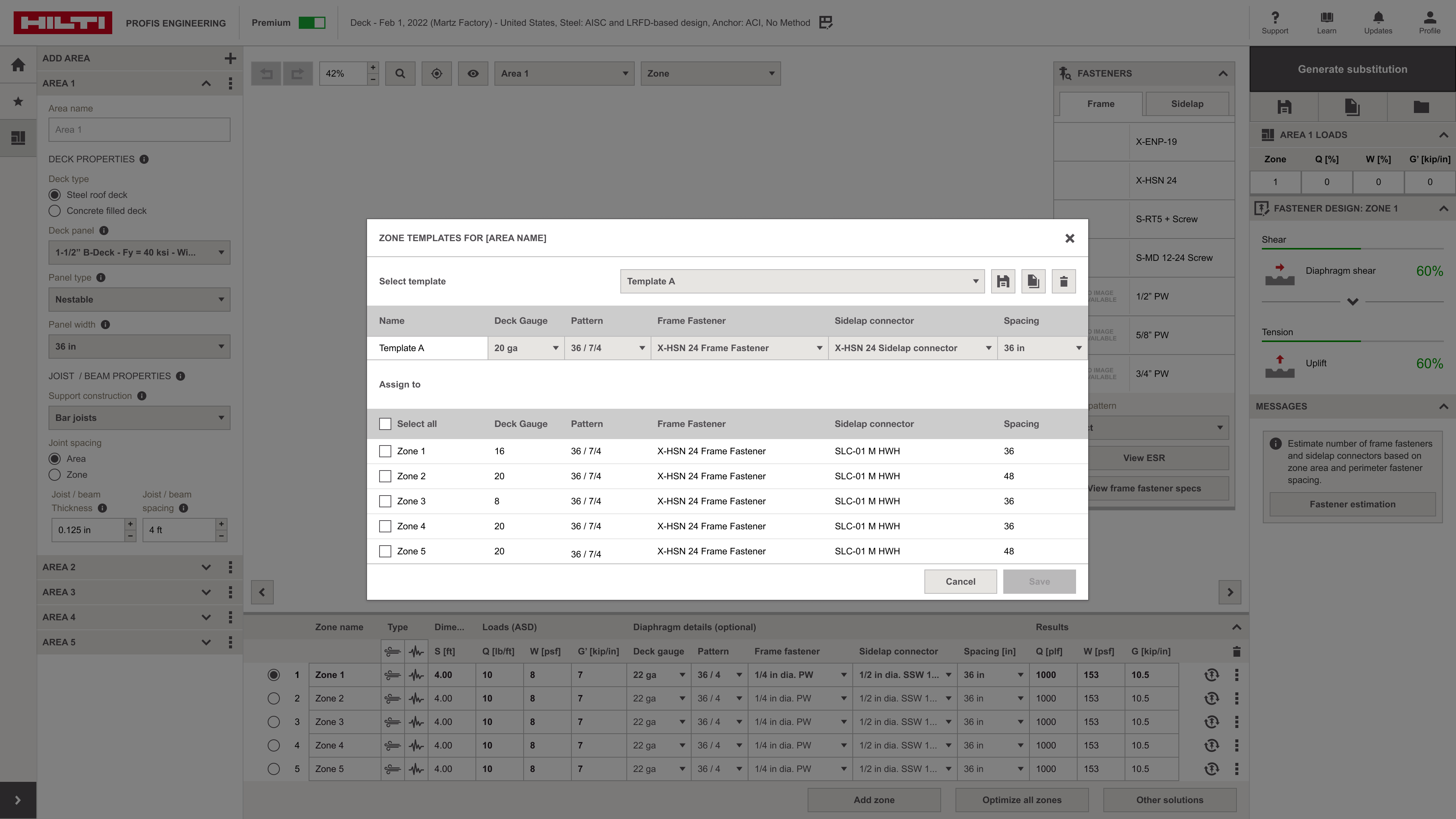
I designed a UI that let users create, save, and reuse zone templates—collections of fastener and loading configurations within the diaphragm design module. This gave engineers a faster way to apply common patterns across projects without re-entering data. I prioritized clarity and control by introducing a dedicated “Templates” panel where users could view existing configurations, edit parameters, assign names, and apply them with a single click. The interface was integrated directly into the design flow so templates felt like a natural part of the workflow, not a separate tool. It helped reduce repetitive input, supported consistency across designs, and aligned with the way engineers typically approach repeatable decking scenarios.

The takeaway

By modernizing Hilti DF and integrating it into the broader PROFIS Engineering platform, the team successfully elevated a dated tool into a scalable, user-friendly module that aligns with the visual and functional standards of Hilti’s anchor design ecosystem. The redesign not only improved usability through interactive feedback and reusable inputs, but also positioned diaphragm workflows to support more complex, real-world scenarios with greater efficiency. This evolution reflects a strong commitment to consistent UX across engineering tools—and a readiness to meet the demands of modern structural design.

Concrete-to-concrete design module

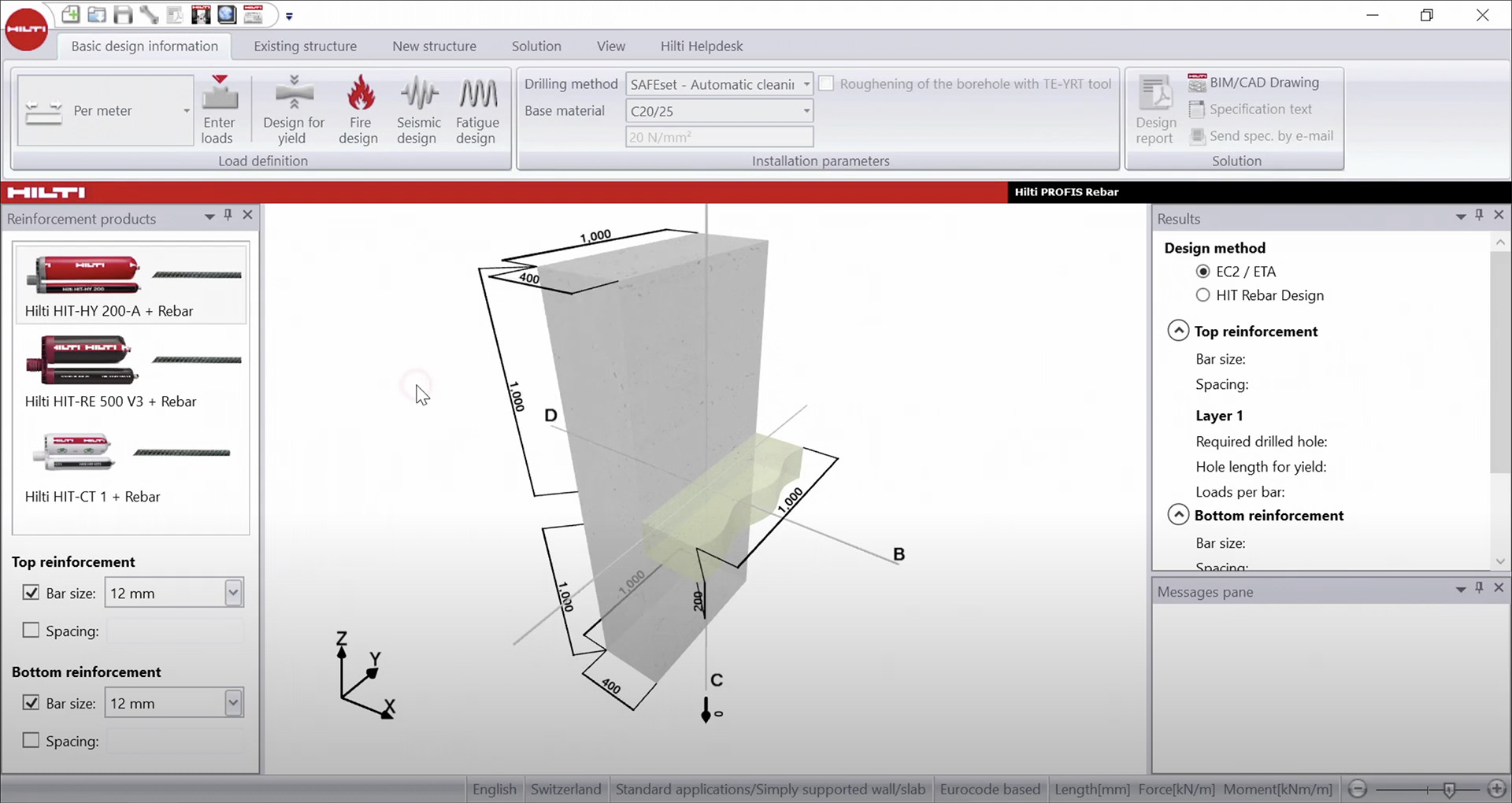
PROFIS Rebar was originally a standalone tool dedicated to post-installed rebar design. While it served structural engineers well for specific reinforcement calculations, its separation from Hilti’s main design ecosystem created friction in terms of usability, maintenance, and cross-module workflows. As Hilti’s digital strategy evolved, it became clear that a more unified experience was needed.


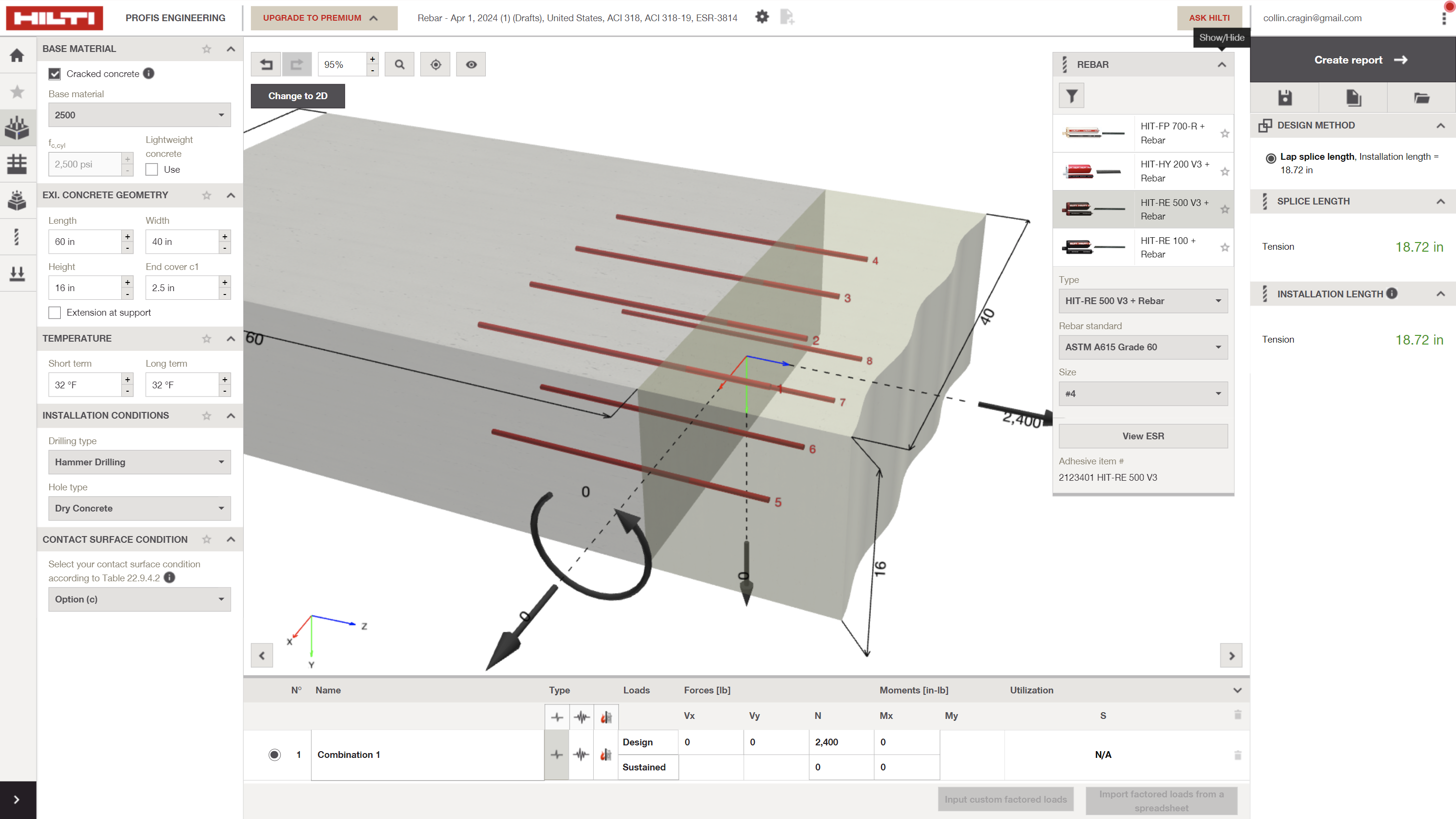
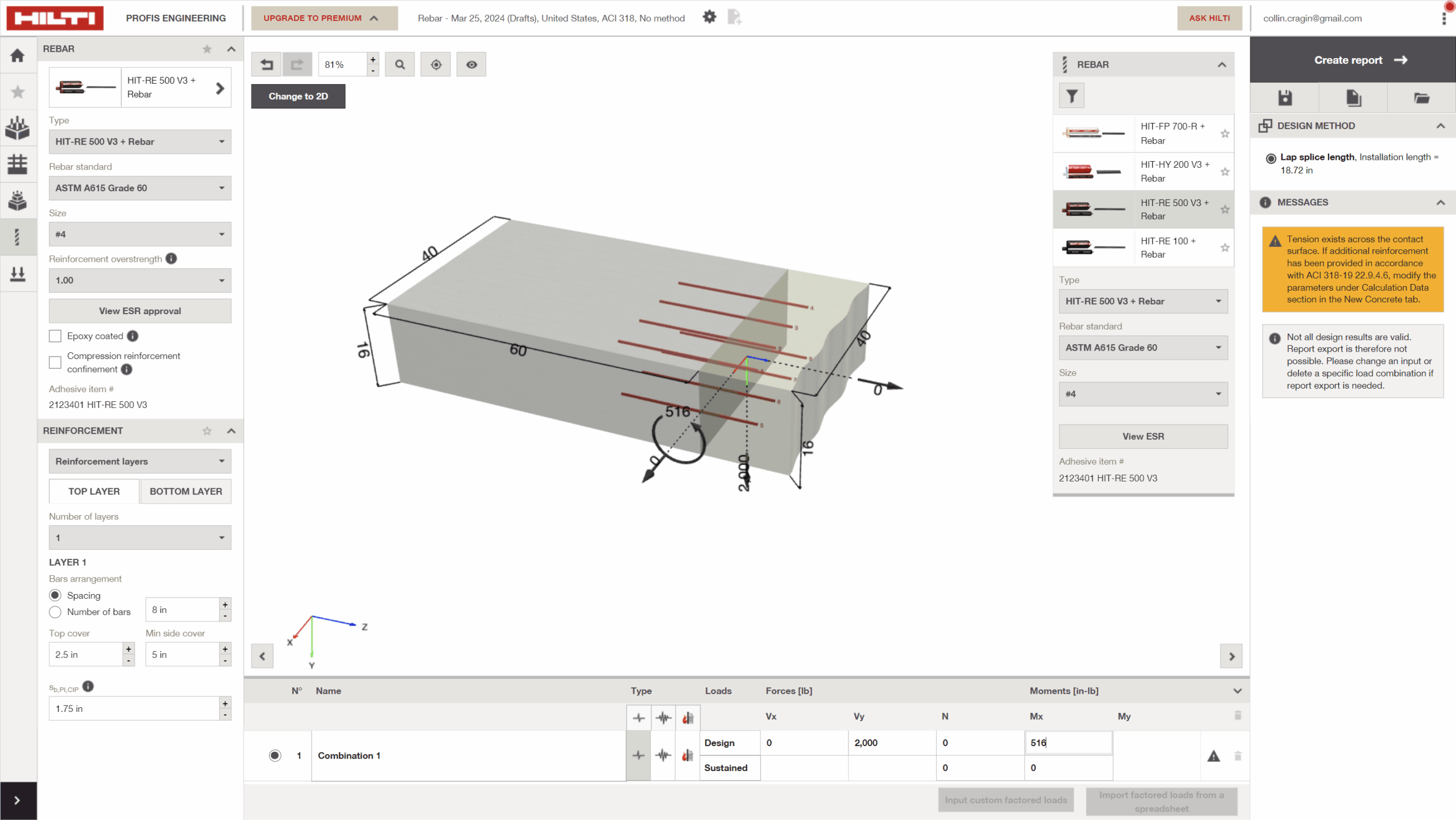
Rather than continuing PROFIS Rebar in isolation, it was phased out and reintroduced as a native module within PROFIS Engineering. This move allowed for tighter integration with related design tools, shared inputs, and consistent interaction models across workflows. The updated rebar module benefited from PROFIS Engineering’s modern UI, improved logic handling, and interactive feedback—making it easier to manage anchorage, lap splice, and development length scenarios alongside other design tasks.

By redesigning the concrete-to-concrete module and transitioning away from PROFIS Rebar, I transformed a legacy workflow into a modern, intuitive experience within PROFIS Engineering. My updated solution delivered scalable modeling capabilities, a cleaner interface, and expanded design flexibility that matched the sophistication of Hilti’s anchor tools. This shift not only improved usability, but also positioned the module to support complex structural connections with precision and efficiency.

arrow_forward 1

The project reflects my commitment to streamlining technical workflows through thoughtful UX while staying within the bounds of Hilti’s design system. I did however design a few new components, where necessary, to be adopted into the design system, such as tab selection in submenus. Tab selection allowed users to quickly navigate between top layer and bottom layer concrete reinforcement parameters.

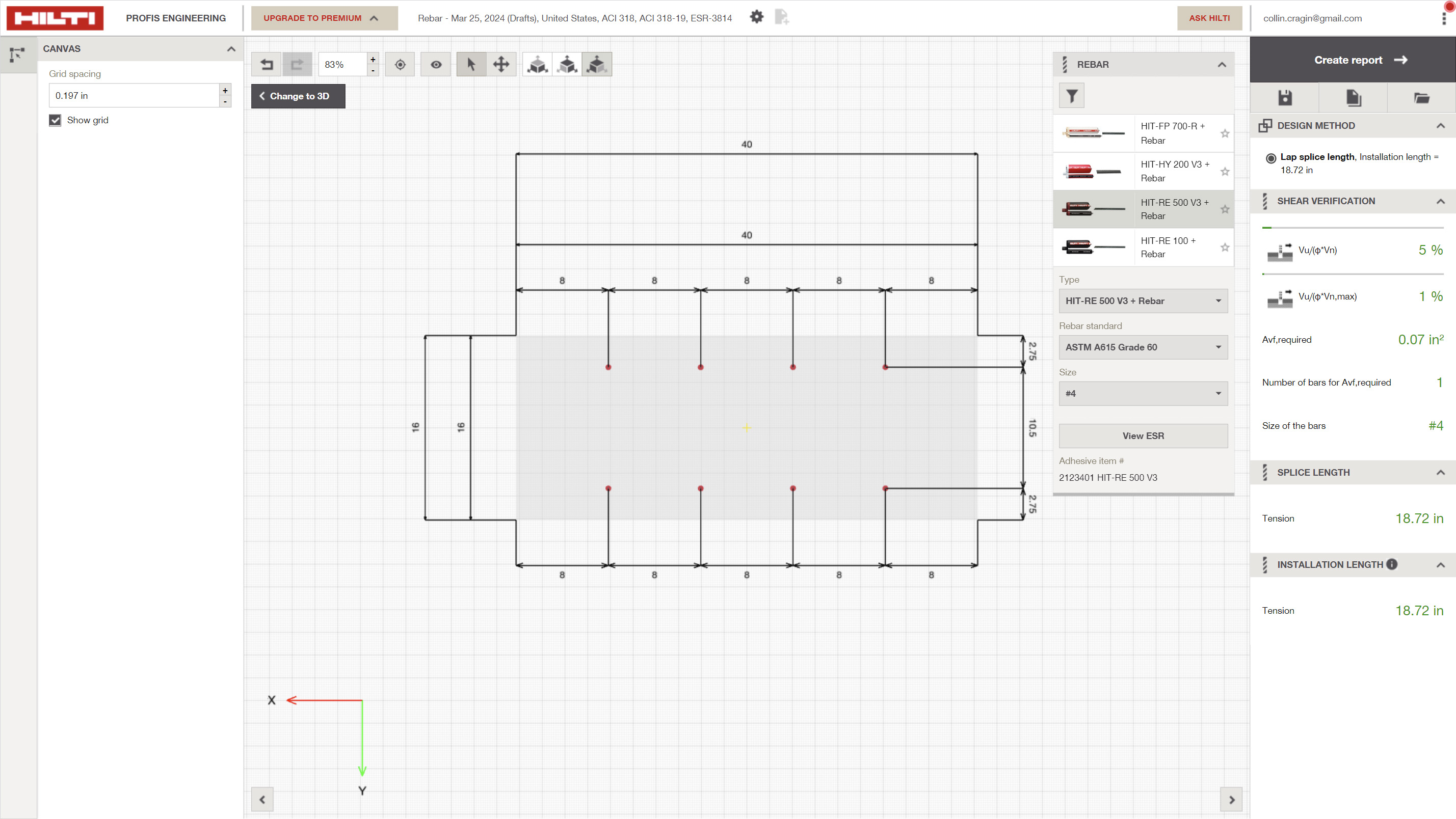
For the concrete-to-concrete module, I also led the UX design of its 2D view, focusing on clarity, usability, and alignment with the 3d model configuration and how engineers dimension rebar layouts. I designed the interface to visually represent transfer regions between concrete elements, simplifying complex scenarios into an intuitive layout. This allowed users to define and edit input parameters with precision, while ensuring the visuals remained consistent with Hilti’s design language.

The takeaway

One of the most challenging—and impactful—elements of this UX initiative was designing the error state system for the concrete-to-concrete module. Given the complex logic layers driven by varied user inputs and regional concrete code requirements, it was critical to ensure that every validation message not only flagged issues accurately, but also guided users with clear, context-sensitive explanations and actionable resolution paths. I focused on building a framework that could scale with evolving standards while keeping engineers informed, not frustrated. This work reflects my commitment to clarity in complexity, turning dense technical logic into a frictionless user experience that supports confident decision-making.