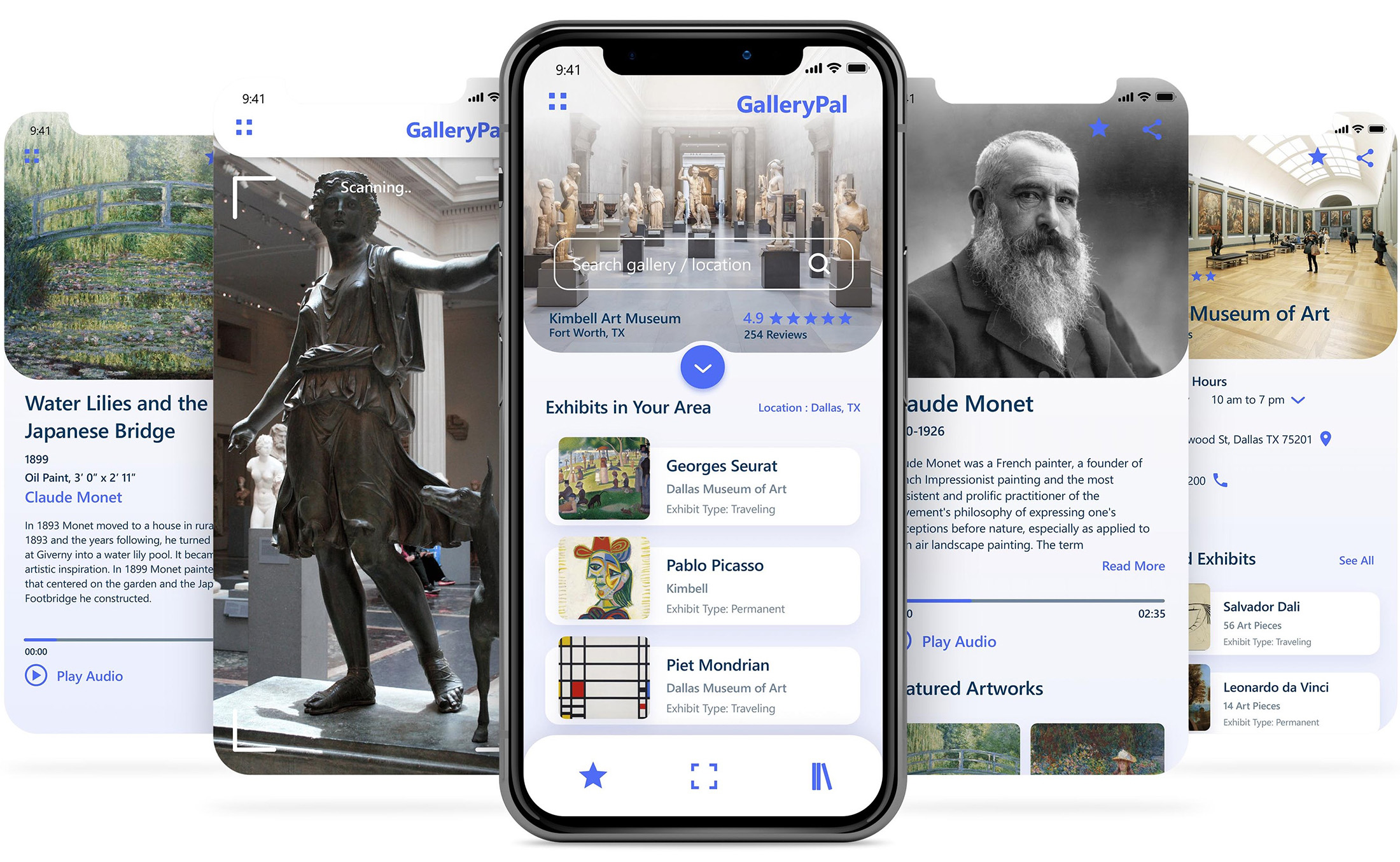
GalleryPal is a mobile app concept designed to enrich museum visits by offering personalized, self-guided tours that help users connect more deeply with the art they’re viewing. To shape its direction, I applied the Google Ventures Design Sprint—moving from user research and ideation to prototyping and testing in just five days. This process allowed me to quickly validate core features, like artwork scanning and contextual audio guides, and refine the experience based on real user feedback before committing to full development.
My role
As the sole designer behind GalleryPal, I drove the concept from idea to execution—shaping the app’s vision, defining user needs, and crafting the full experience. My role blended research, strategy, interaction design, and visual design.
Challenge
Museum visitors often feel disconnected from the art because there’s no easy, self-guided way to access meaningful context, leaving them overwhelmed, underinformed, or reliant on rigid tours.
Goal
To design an app that provides instant, insightful information as users view the art, deepening their appreciation and helping them feel fully immersed in their museum experience.
Process
I applied the Google Ventures design sprint approach—a focused five-day process that tackles business challenges through rapid design, prototyping, and user testing. It empowers teams to gain valuable insights early on, avoiding costly and time-intensive development before launch.
Toolkit
Figma
Adobe Illustrator
Adobe Photoshop
GV Design Sprint
Secondary Research
Day 1: Understanding and mapping
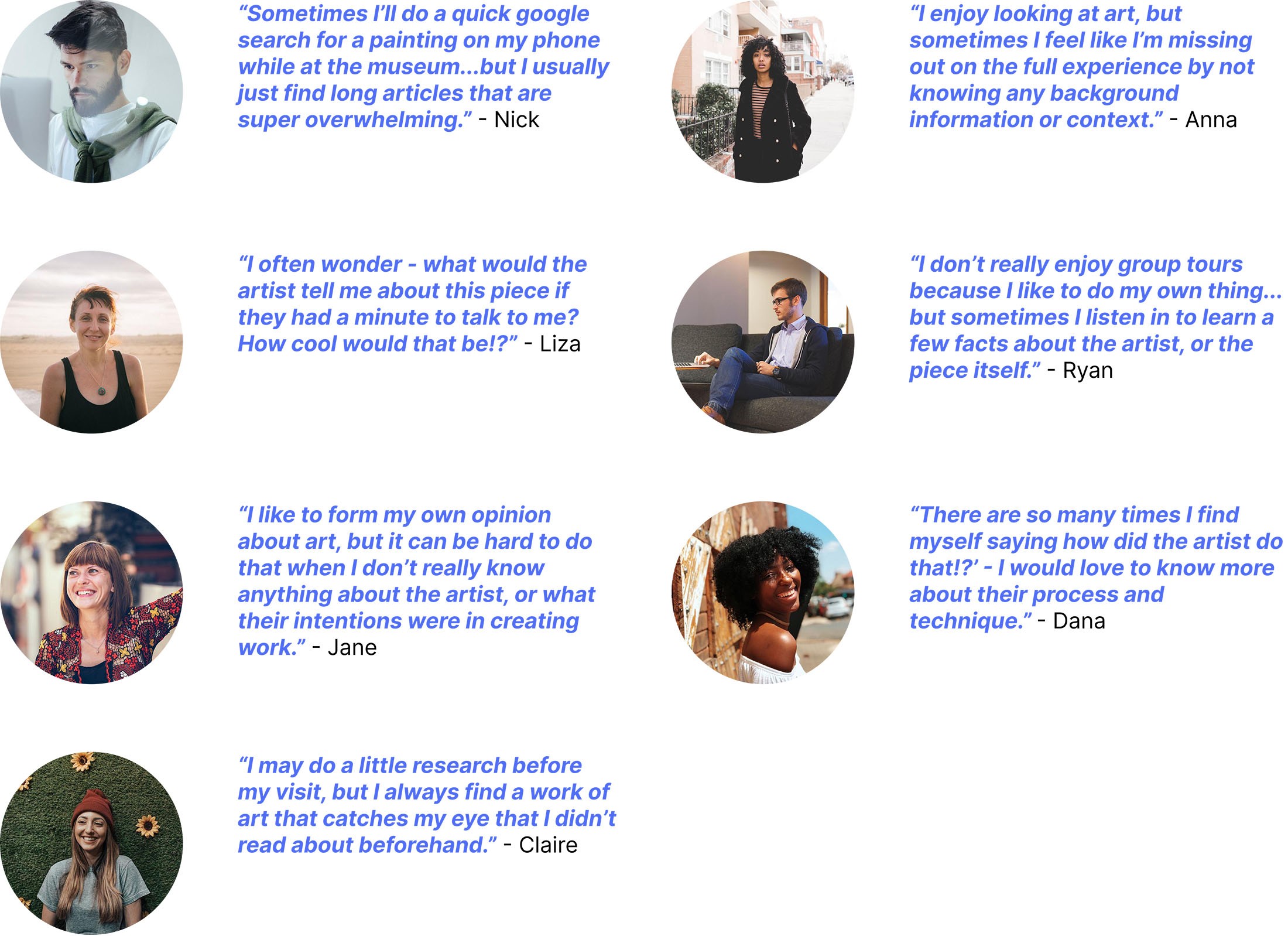
On day one of the GV design sprint, I focused my time on understanding the problem space at hand, and perusing through various user research videos, audio, and documentation that initially given to me to work with. Such documentation includes personas, interviews, and other relevant data. It was important to review the existing research on the problem so that I could establish common pain points and accurately map out the steps a user would take while using this type of app that is to be designed.
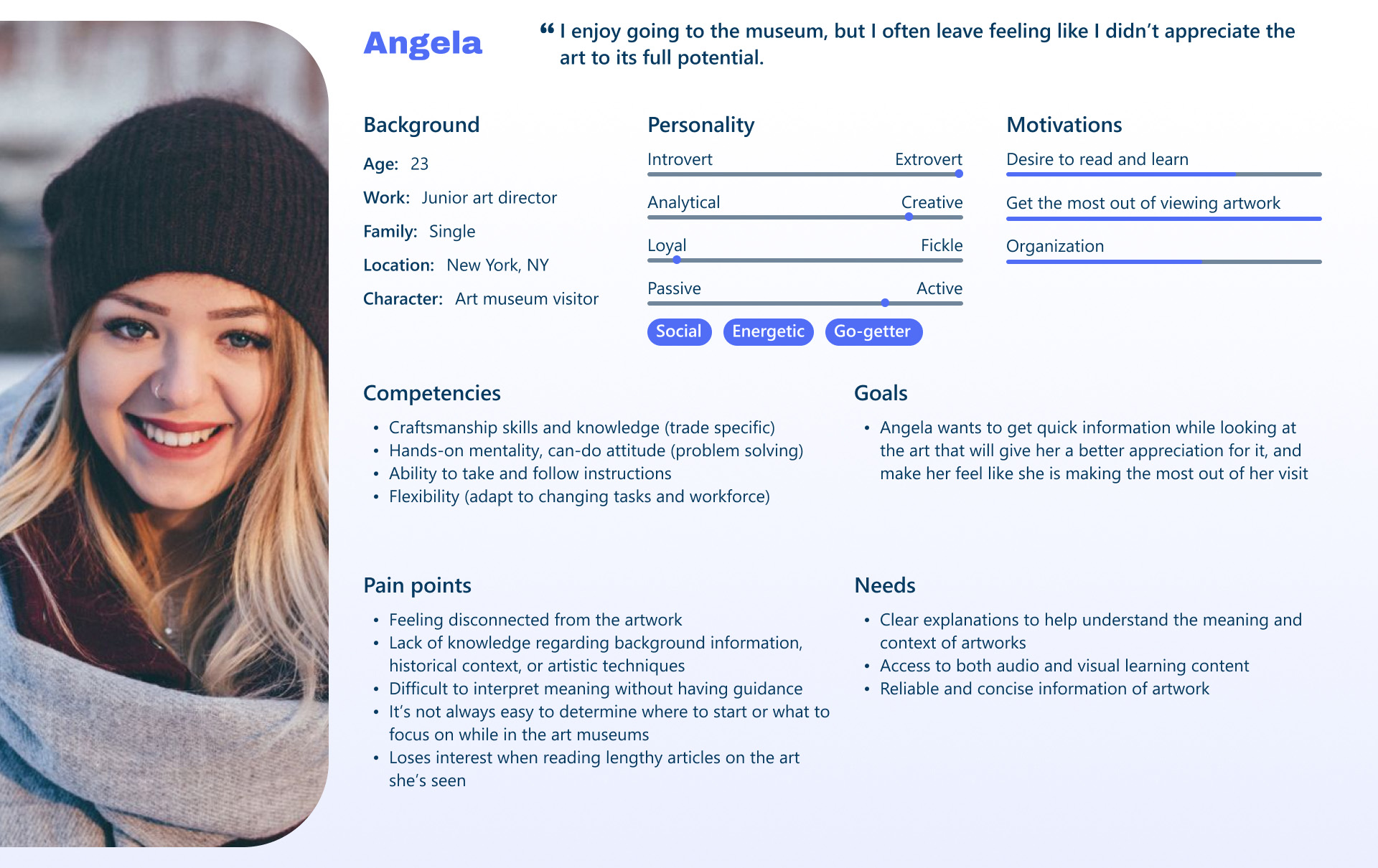
Furthermore, I used the research data that was given to me to create a more comprehensive persona. Angela is a 23-year-old junior art director living in New York City who regularly visits top museums out of personal interest, often going solo. While she enjoys these visits, she frequently leaves feeling like she hasn’t fully appreciated the artwork. Long, in-depth texts don’t hold her attention, but she craves quick, accessible insights that would enrich her experience and make each visit feel more worthwhile.
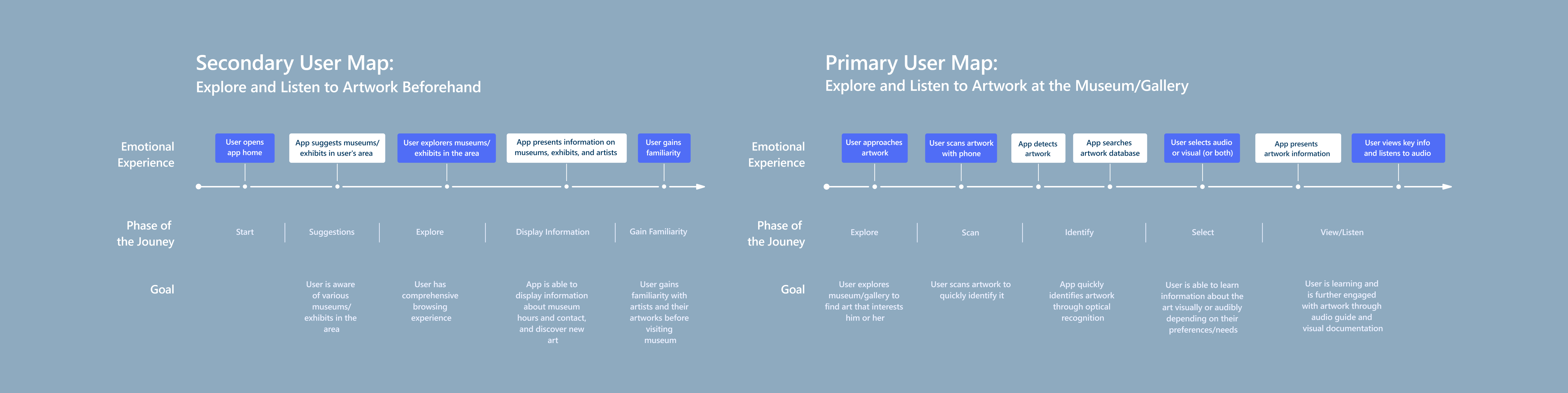
Towards the end of the workday, I decided to come up with a few maps that define possible end-to-end experiences a user might have with the product. I then decided on a map that best addresses the problem and conveys my solutions. Even though there is primary focus on the user experience while a person is at a gallery or museum, I came up with a solution that was two-fold; one that both address the experience while at the museum and the experience outside of the museum (before and after the museum visit). This was important since art afficionados wanted to be able to review and explore artwork outside of the museum visit in addition to their experience onsite.
Day 2: Sketching & lightning demos
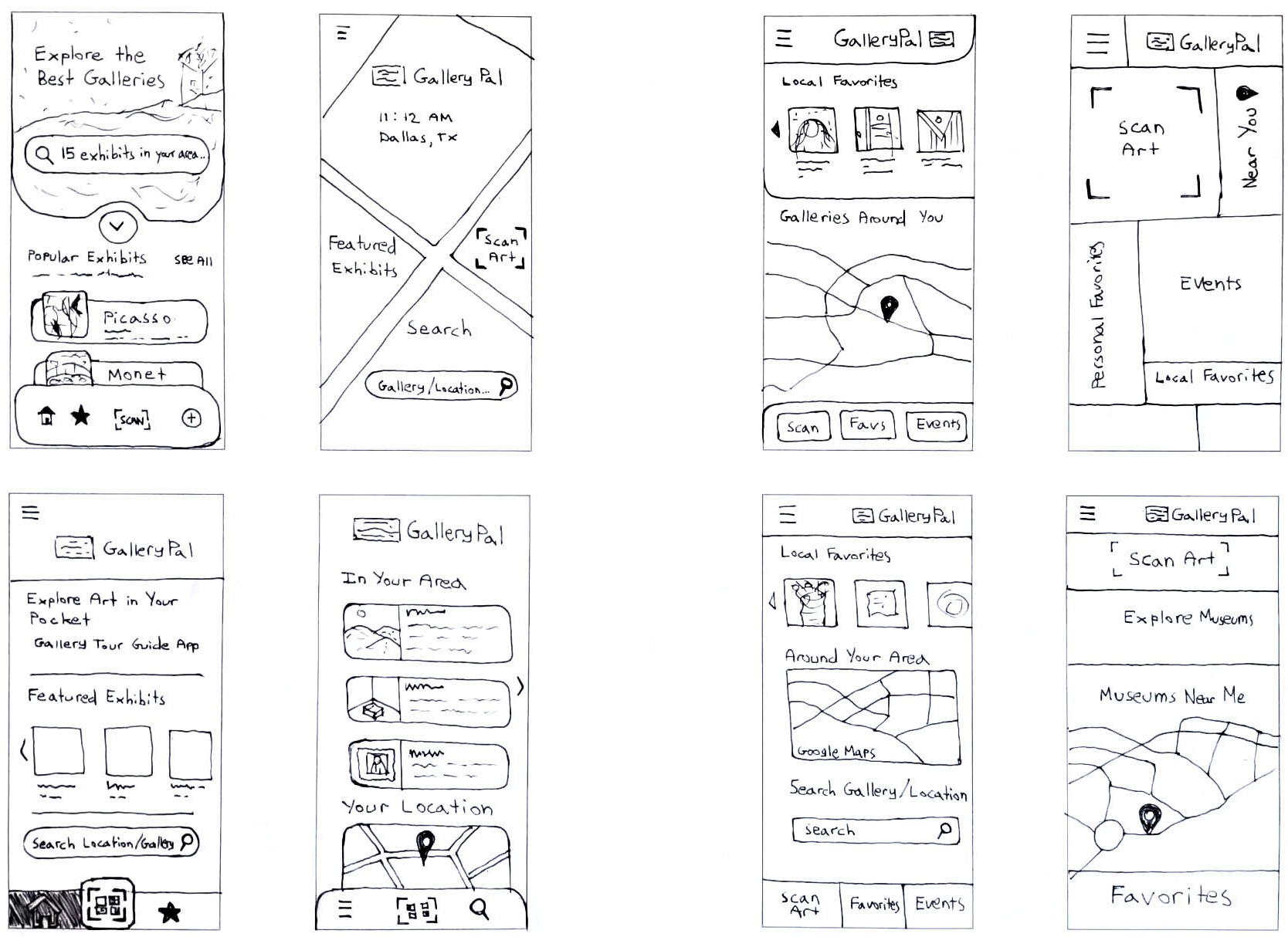
After reviewing my journey maps, it became clear that the landing page was key to solving the core user challenge. This screen offers quick, intuitive access to nearby museums, current exhibits, and specific artworks—designed to spark curiosity without overwhelming the user. It serves as a central hub both before and after viewing art, helping visitors feel inspired and informed without feeling rushed. Recognizing the importance of this interaction, I explored layout ideas through a Crazy 8s sketch session, generating eight screen iterations in just eight minutes.
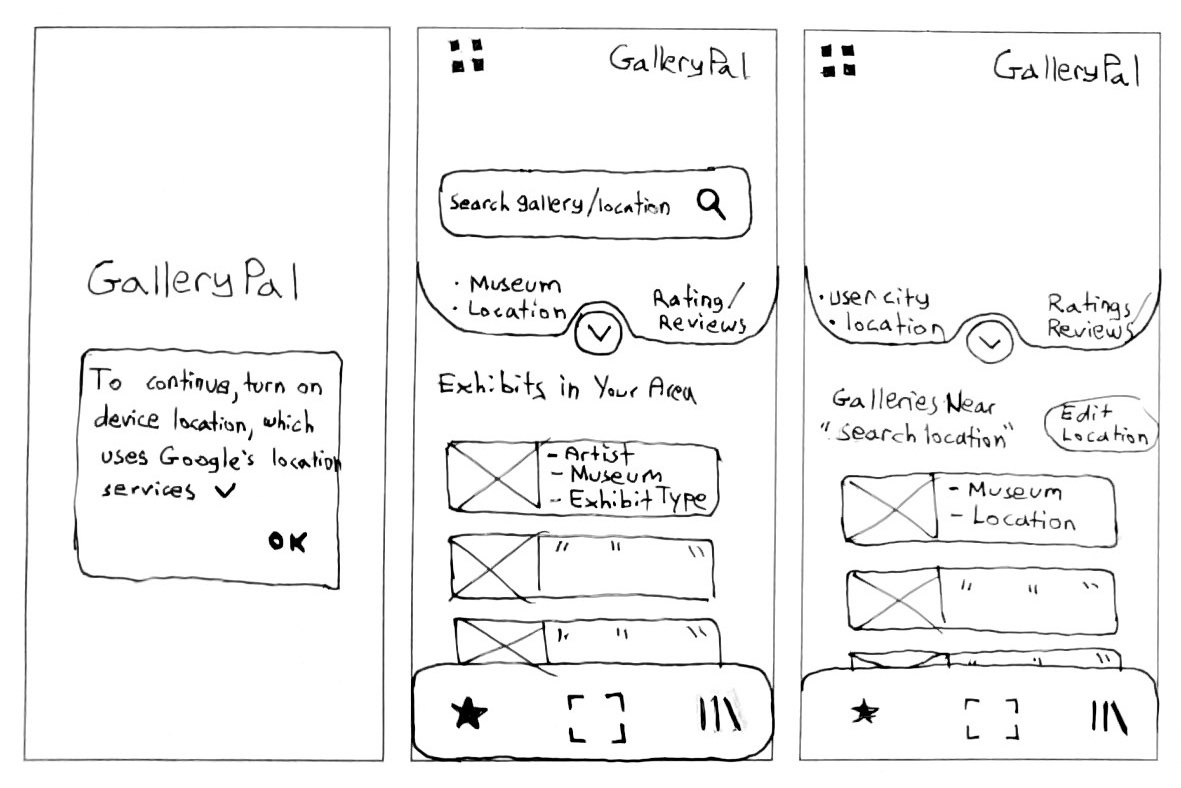
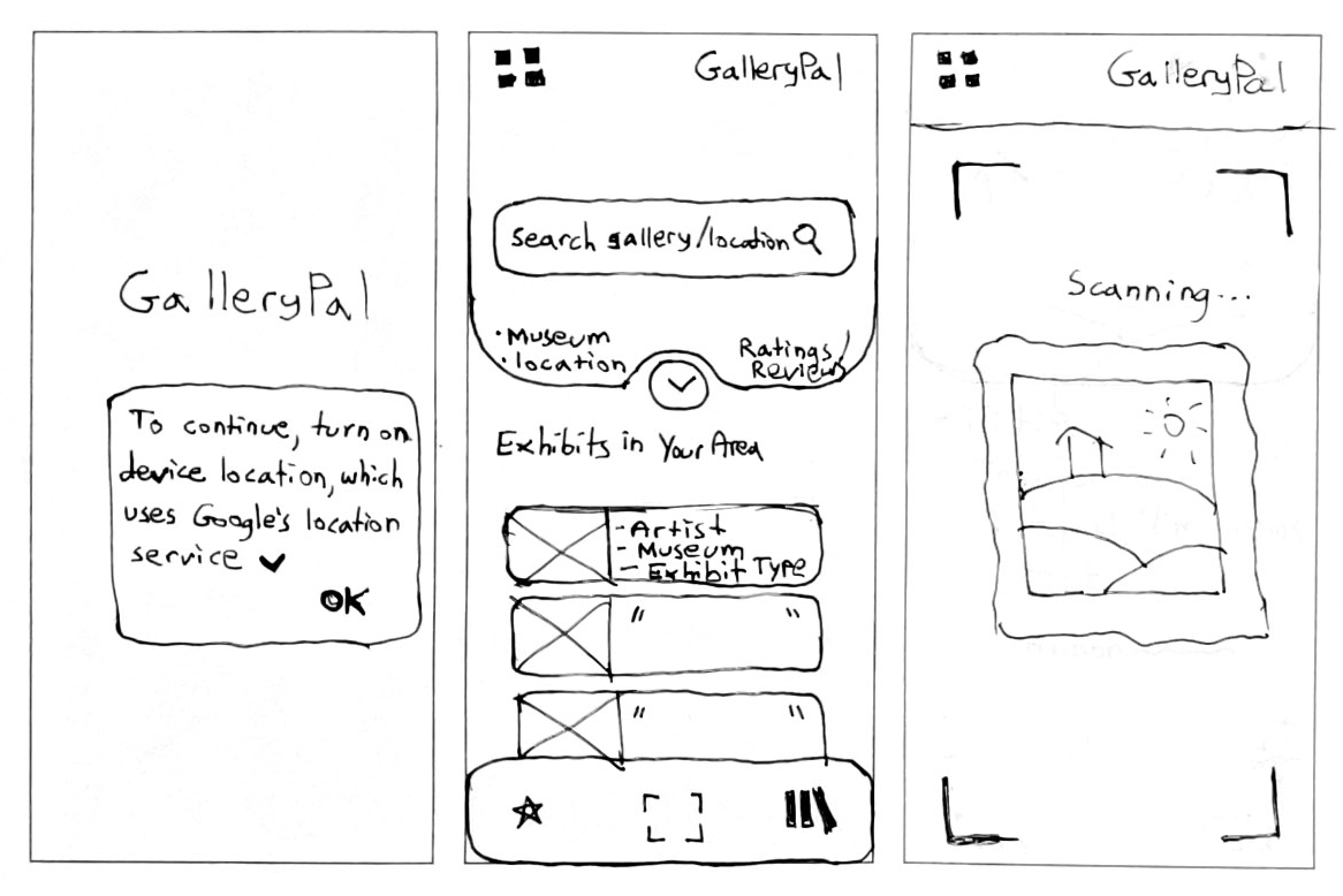
I selected the first sketch to develop into a a solution sketch as shown below—a three-panel layout showcasing the critical screen along with its preceding and following states. This first sketch above was chosen for its ability to deliver immediate results for local art exhibits and museums, while efficiently incorporating key actions like scanning artwork, viewing saved pieces, and navigating favorites. Its layout made the most effective use of screen real estate, prioritizing visibility to community favorites and popular exhibits near the user’s geolocation. This would allow users to quickly review artwork ahead of time, but also provide the user multiple entry points for finding the artwork they are actively viewing in the museum or gallery.
I created another solution sketch below to show how the design of the original solution sketch would function when a user is at the museum and decides to scan the artwork for more information. After the user provides geolocation permissions, only a single click is needed to activate the scanning feature.
Day 3: Creating a storyboard
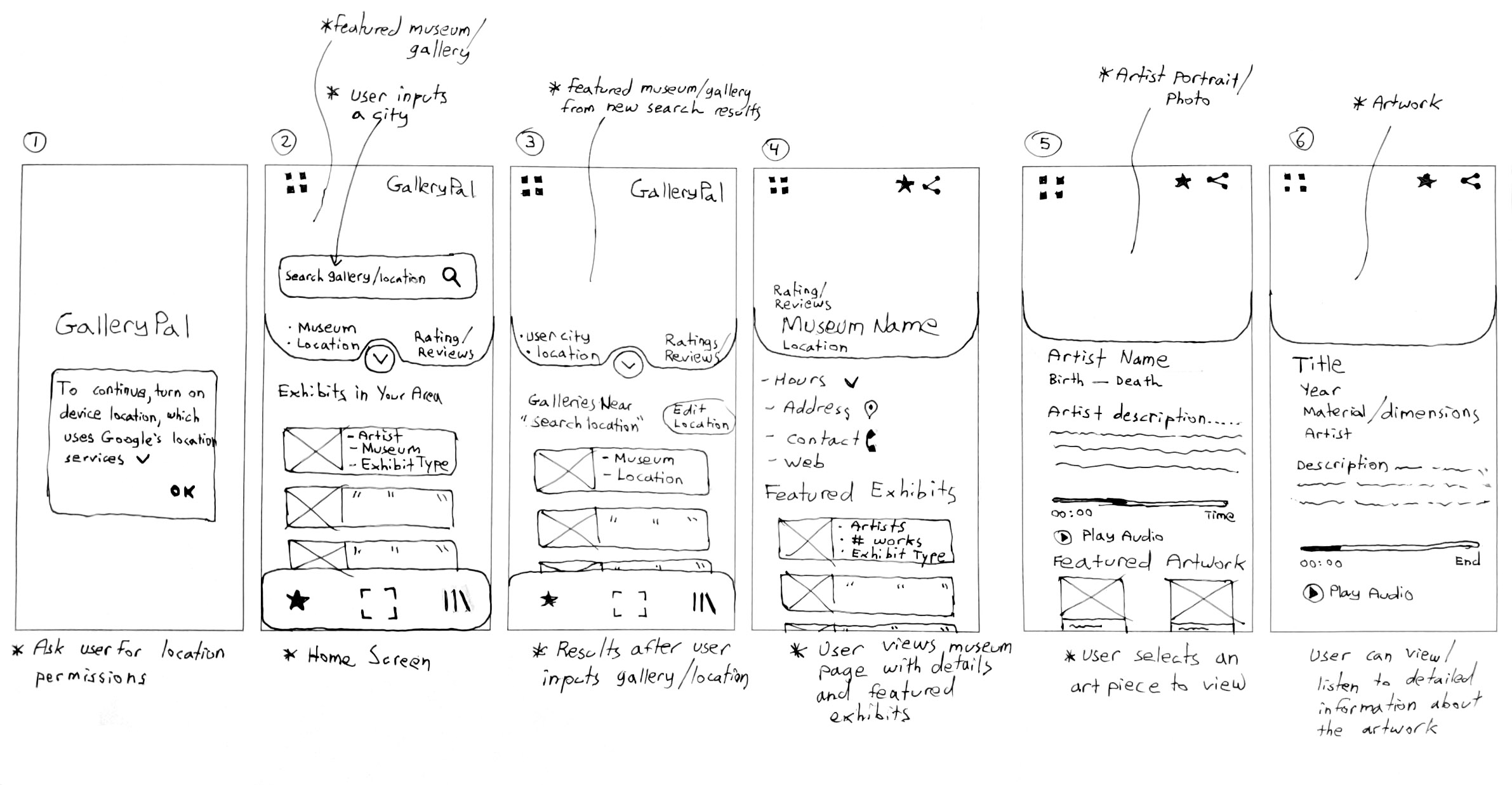
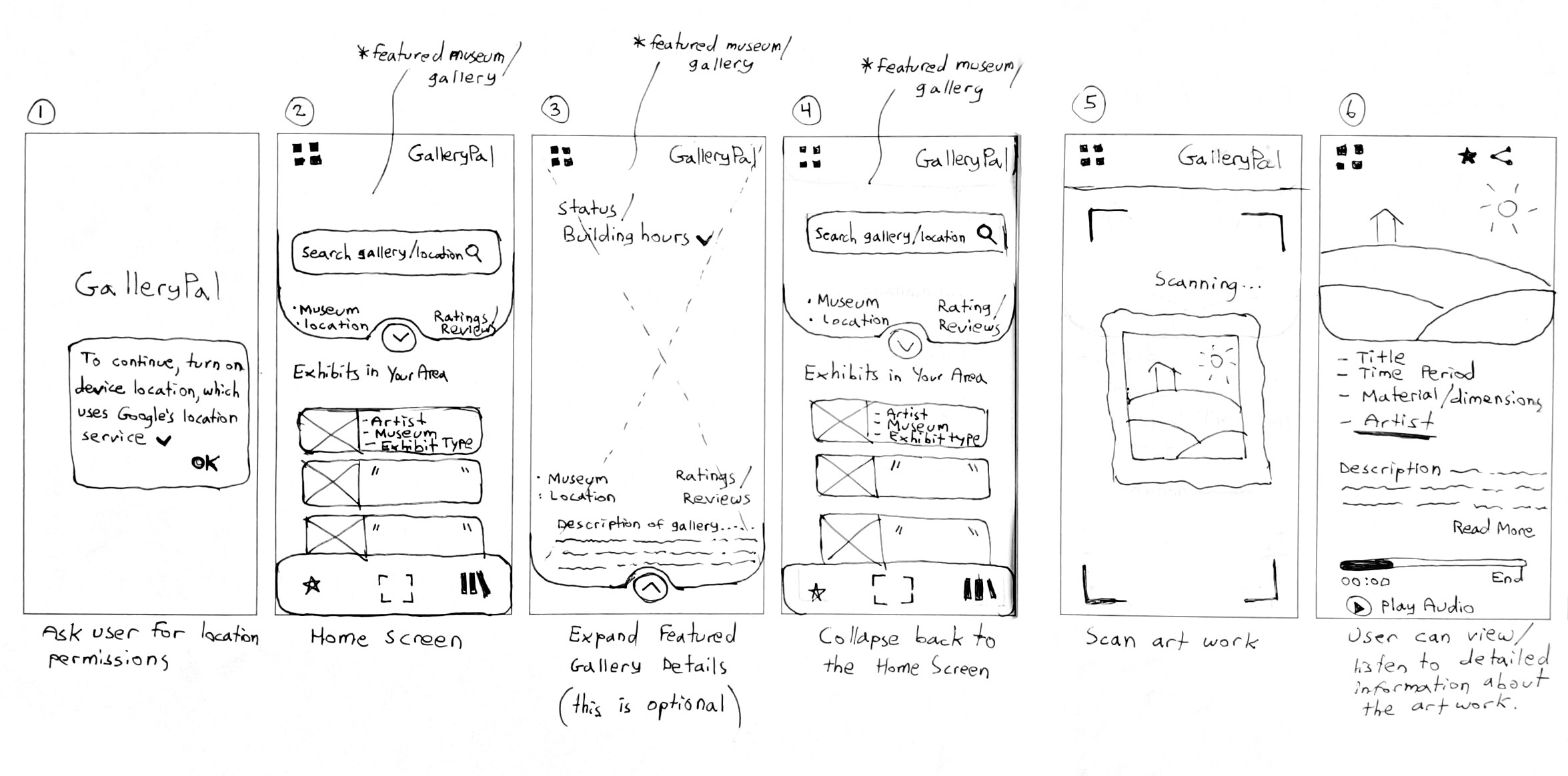
To illustrate key user flows, I developed two distinct storyboards. The first outlines the journey of a user navigating through the app to discover a specific artwork—exploring by museum and artist to reach a detailed view of the piece. The second storyboard focuses on the scanning feature, mapping how a user scans an artwork in real time and is seamlessly presented with its detail page. These visual narratives helped define how users interact with the app.
Day 4: Prototype
Building on the two previously developed storyboards—one illustrating the navigation path to a detailed artwork page through museum and artist selection, and the other mapping the experience of using the scan feature to instantly access artwork details—I created a quick, low fidelity clickable prototype. By focusing on these key user flows, the prototype presents a polished and realistic interaction experience across just a small number of screens.
I made a few minor adjustments to the clickable prototype till the layout and interactions felt natural. The screens were then translated into high fidelity ones. Here, I synthesized GalleryPal’s minimalist visual identity into a balanced design system—leveraging a refined palette that evokes sophistication and clarity, while integrating playful accent tones and spatial rhythms to signal approachability and curiosity. The result is a UI that feels both elevated and engaging, inviting users into an exploratory experience without sacrificing brand coherence.
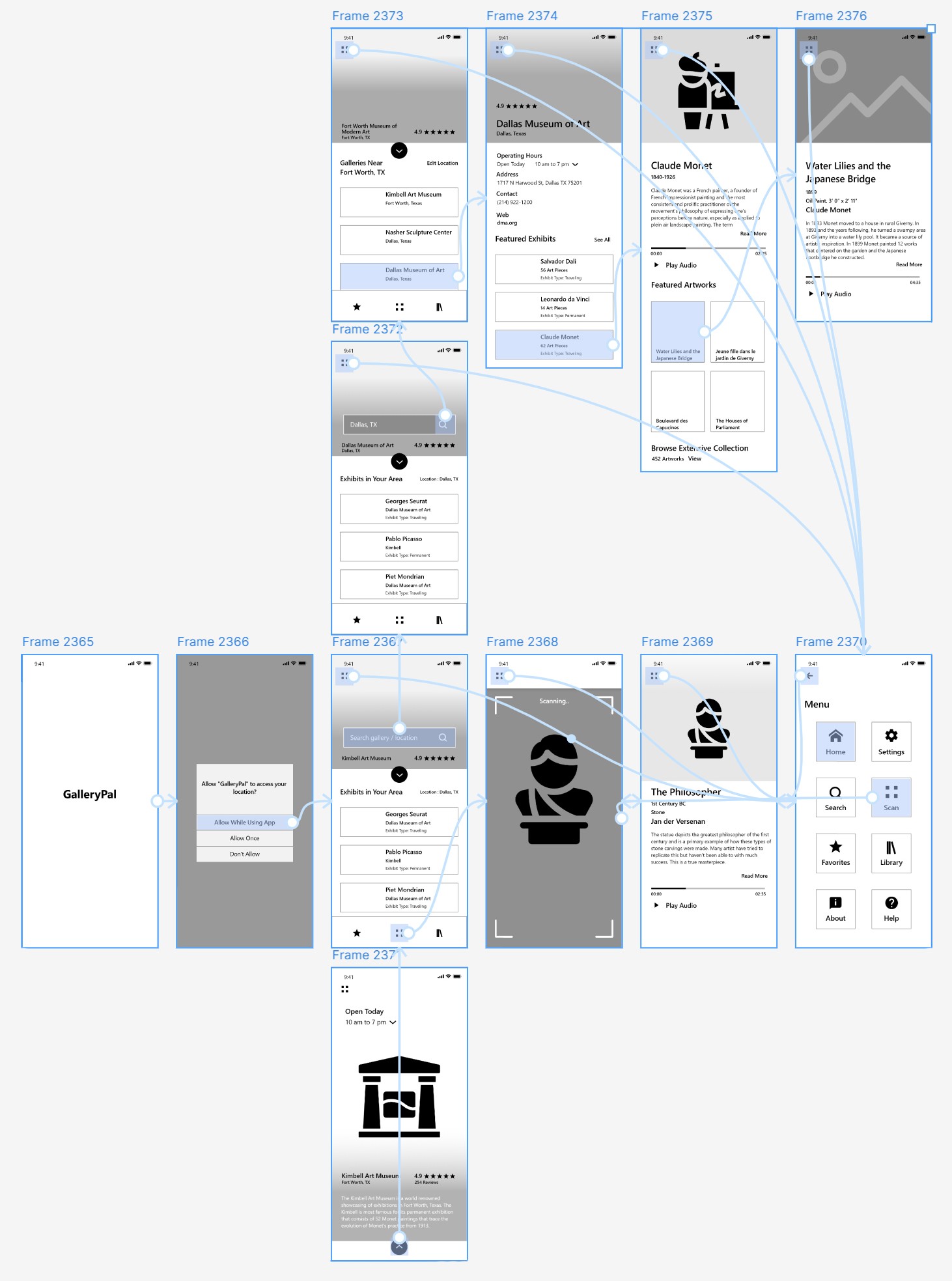
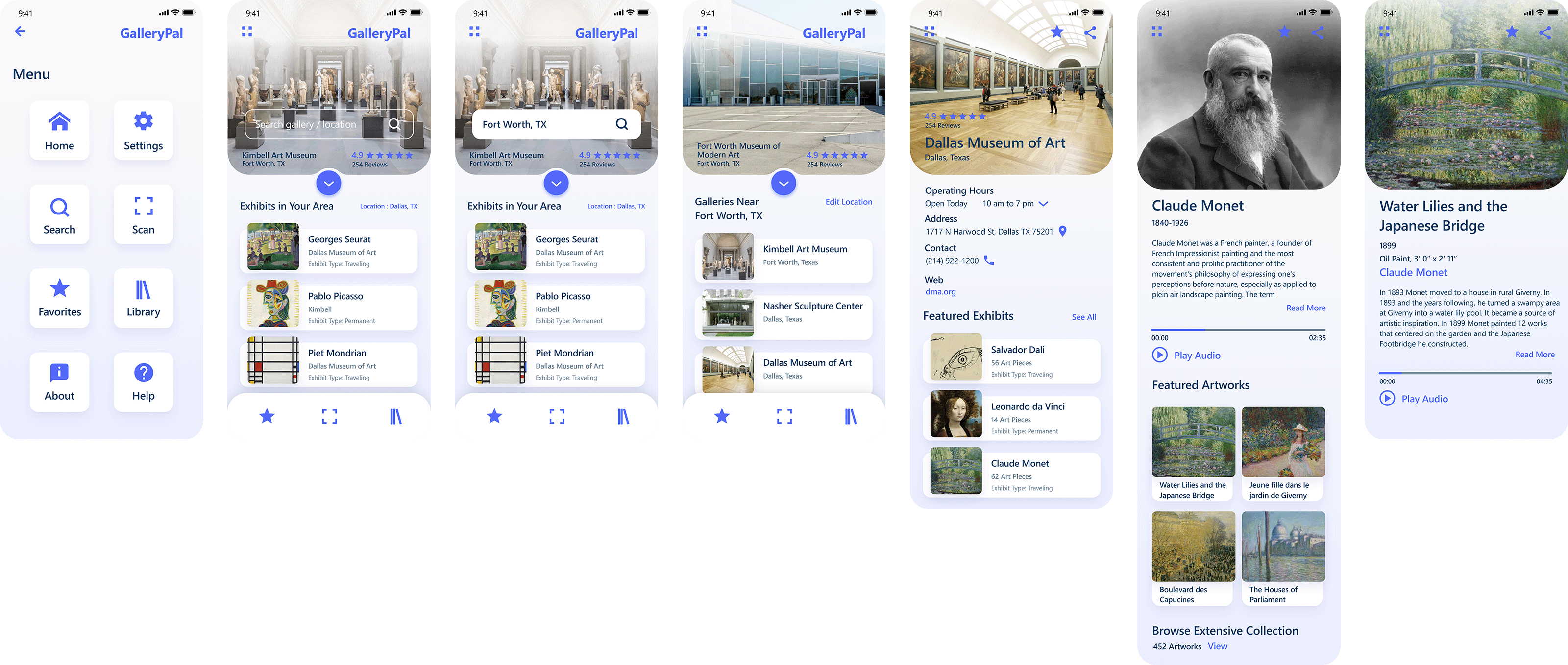
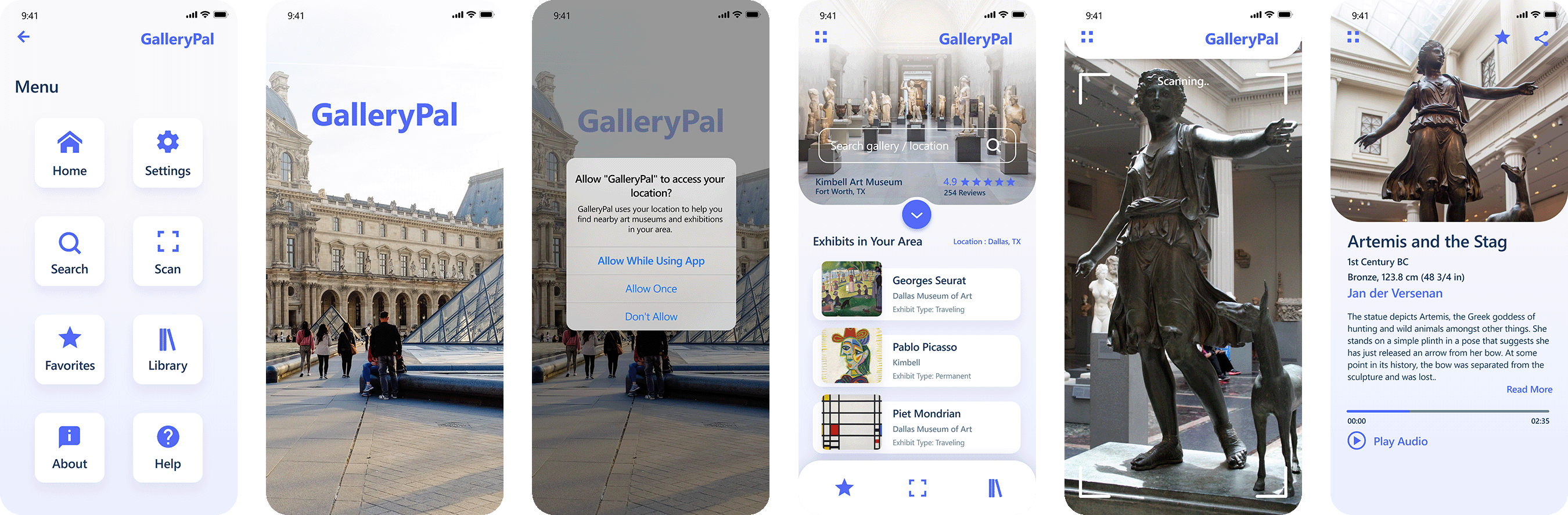
The flow below illustrates the screens I designed for the first phase of the clickable prototype. It focuses on assessing usability and collecting feedback on the process of locating a specific art museum, navigating its featured exhibit, and exploring a painting of interest.
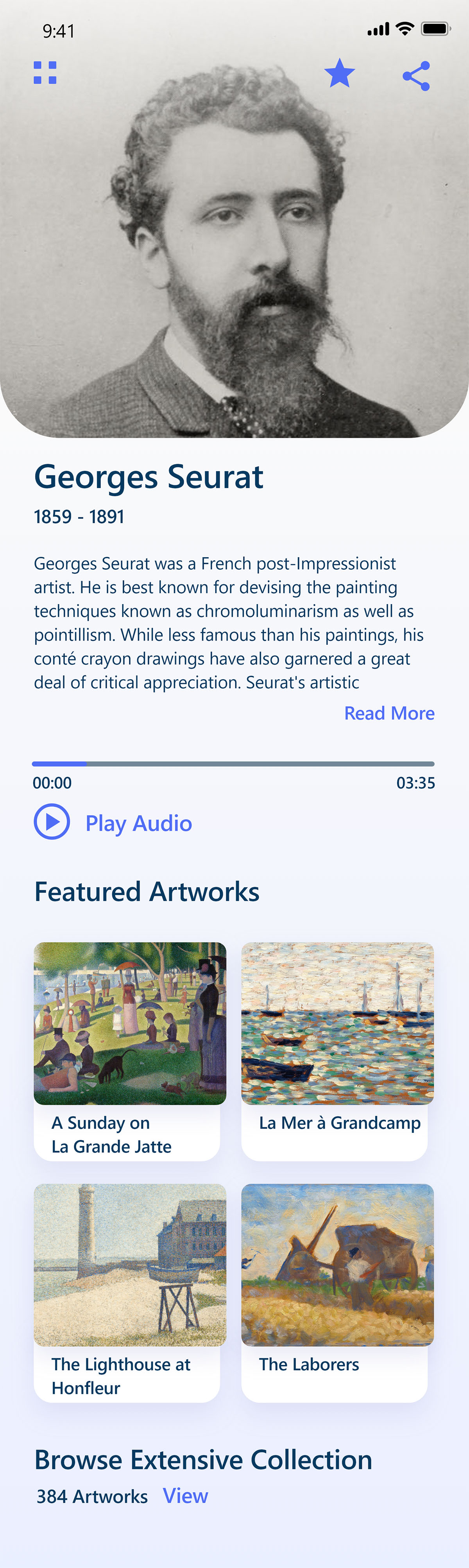
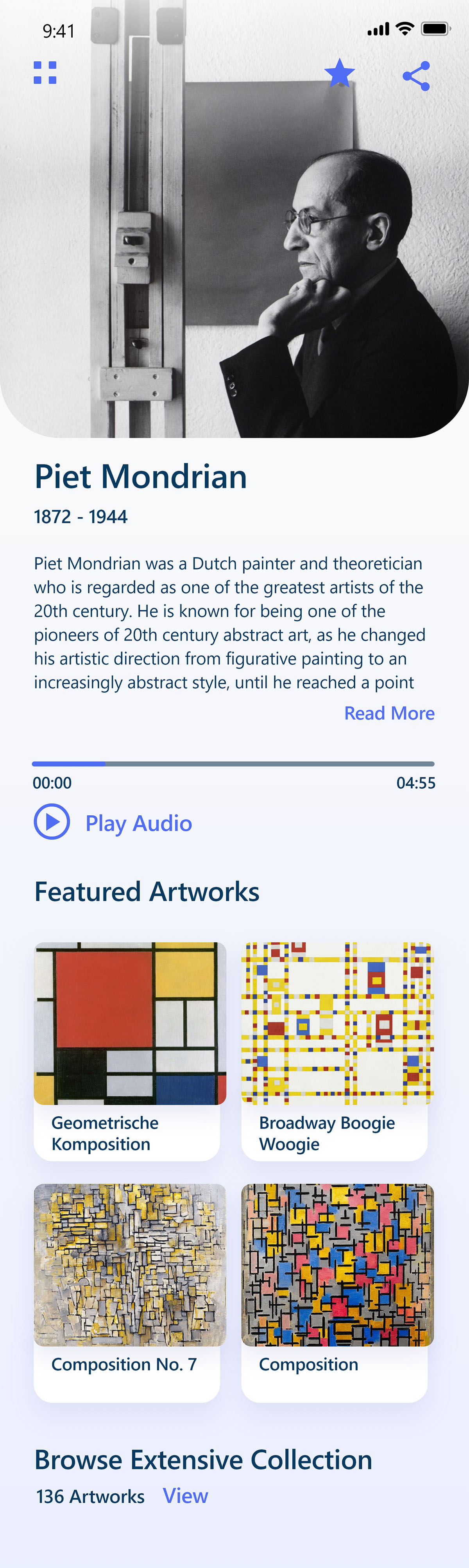
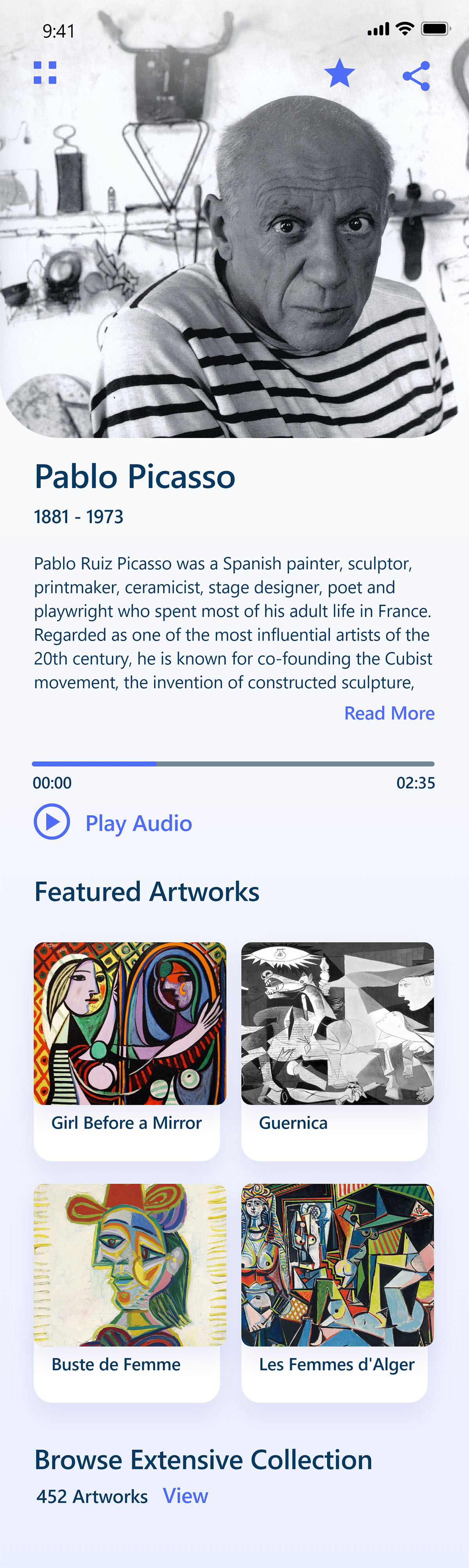
To demonstrate design consistency and bring the app’s visual identity to life, I created additional featured artist screens outside of the core prototype. While not part of the interactive flow, these screens helped establish a cohesive look and feel—showing how typography, layout, and imagery could adapt across content while still feeling polished and immersive. They also offered a chance to explore how the UI could highlight the personality and style of individual artists in a clean, engaging way.
The flow below illustrates the screens I designed for the second phase of the clickable prototype. It focuses on assessing usability and collecting feedback on the process of scanning an art piece and evaluating the detail page of the art being scanned.
Day 5: Validation
To validate the prototype, I conducted usability testing with five museum-goers between the ages of 25 and 45, all of whom regularly use mobile apps and visit art museums at least four times per year. After a brief walkthrough of GalleryPal, each participant was asked to simulate scanning an artwork to access more information. All five were able to launch the app and complete the task confidently. They understood the “scan” icon in the bottom menu of the screen and the intended next steps without issue.
However, two of the five participants paused briefly trying to figure out which icon was for scanning. Based on this insight, I went back and asked if it would help to have text labels under each of the three menu icons in the bottom of the screen. Although they appreciated the suggestion, they didn’t see it as critical. Overall, feedback was positive, with no major adjustments needed to the core flow or structure of the app.
What I've learned / final thoughts...
Working on GalleryPal gave me end-to-end ownership of a product—from early concept through user-tested prototype—using a modified version of the GV Design Sprint. Running it solo meant adapting the framework to fit a one-person workflow, which sharpened my ability to prioritize, move quickly, and stay focused on user needs. The sprint structure gave me just enough constraint to stay on track while still allowing space for creative problem-solving and iteration.
One of my biggest takeaways was the power of early user feedback. Interviewing and testing with real users helped uncover actionable insights that directly shaped the product experience. While I led every aspect of the sprint this time, I’d love the opportunity to run a full sprint with a cross-functional team on future projects—bringing in diverse perspectives would only elevate the outcomes.